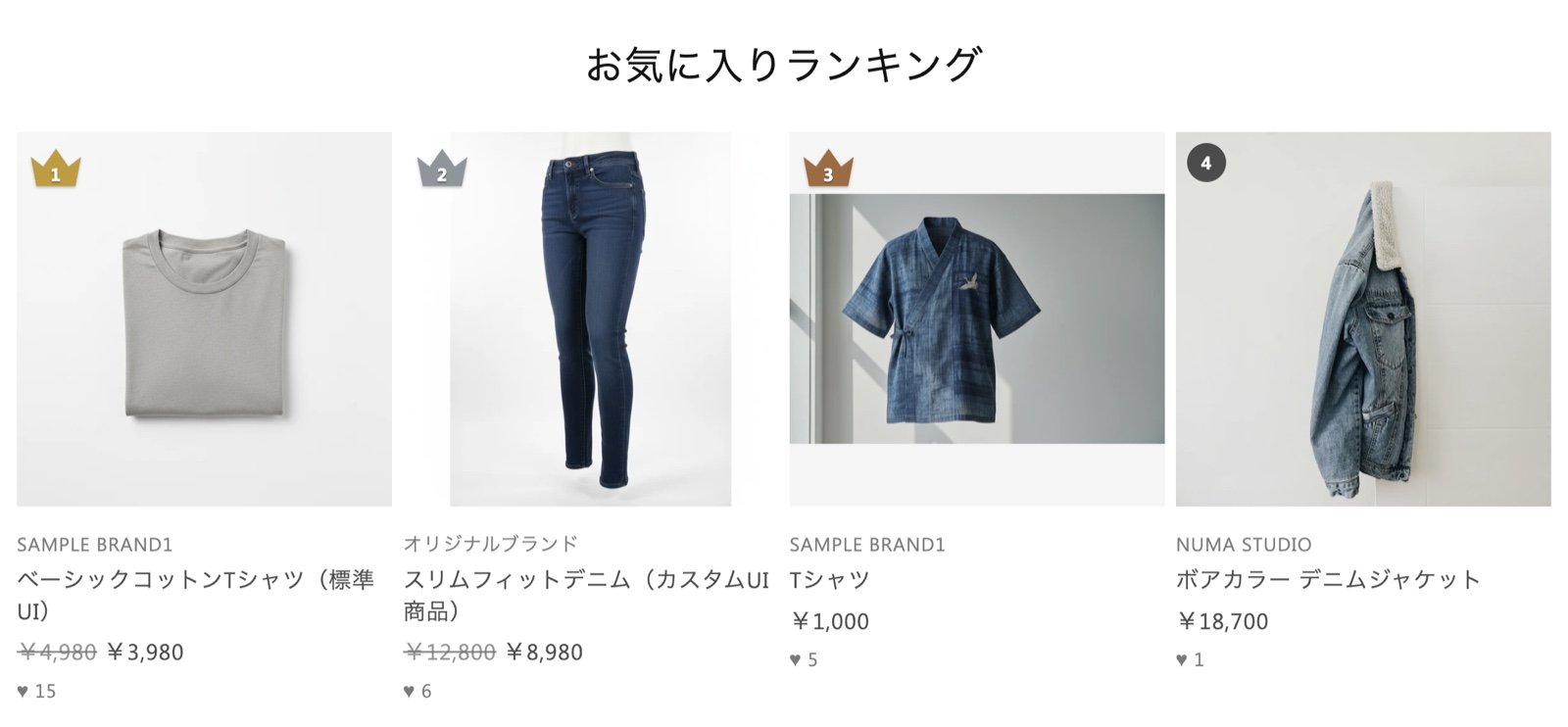
The screenshots on this page show the theme editor in Japanese. In an English theme editor, the block and its settings appear with the English names used on this page.
What the favorite ranking does
A favorite count is a sign of popularity: it shows how many customers want a product. The Favorite ranking block lists your most-favorited products in order on your store.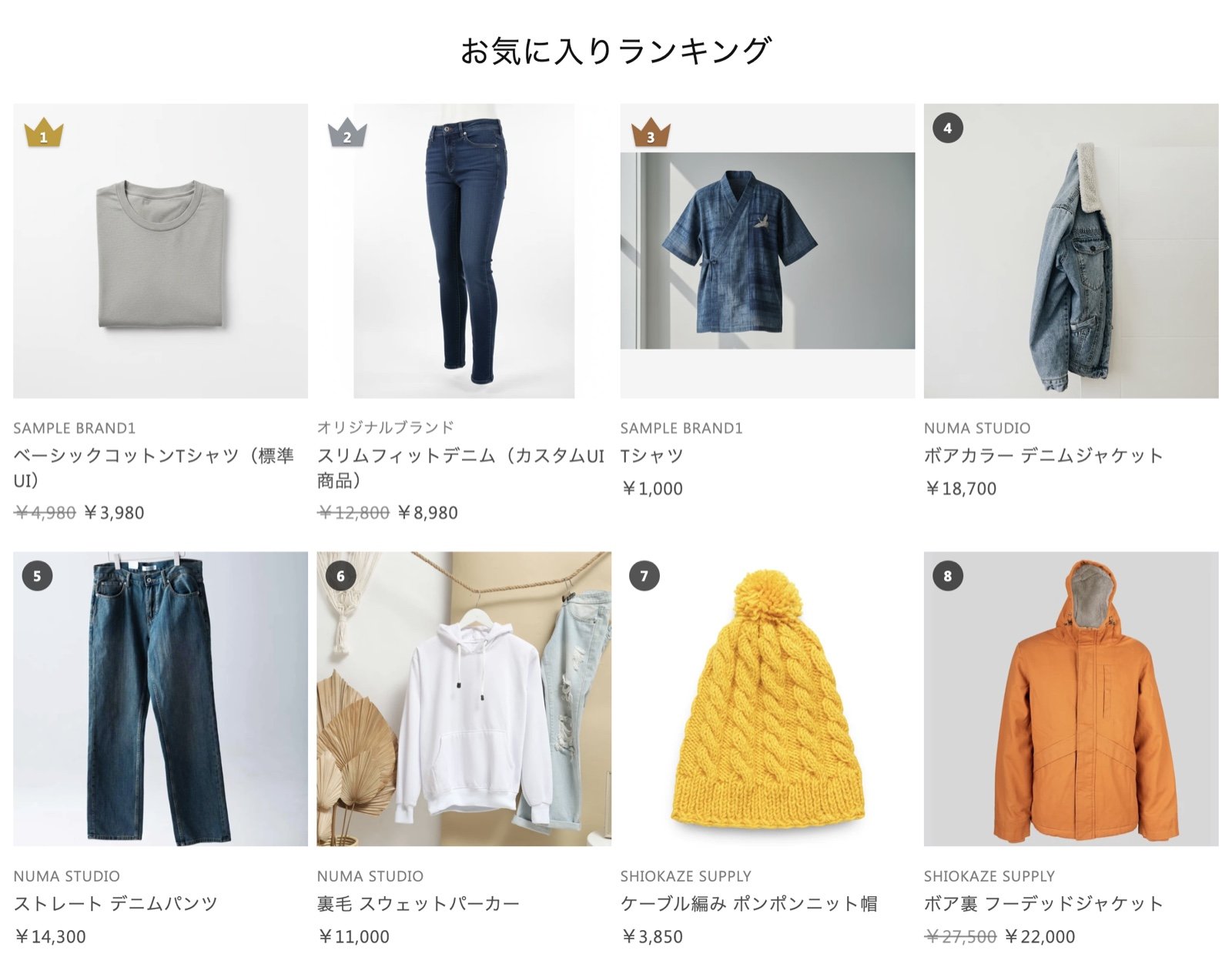
- Show your popular products at a glance: First-time visitors can see which products other customers are choosing, which helps them decide what to buy
- Updates on its own: The order follows your favorite counts automatically, so you never have to pick the products again
- Stand out with rank badges: Add crown badges to the top three to make it look like a real ranking
- Matches each customer’s country and language: Prices are shown in the currency of the customer’s selected country or region. Product titles are shown in the customer’s language when a translation exists
Ideas for using it
- A popular-products corner on your home page: Place it next to new arrivals and recommendations as an entry point to your best sellers
- A ranking feature page: Create a “Favorite ranking” page and link to it from your menu or banners
- Below the product details: Show other popular products to encourage add-on purchases and more browsing
Available plans
Available on the Advance, Pro, and Enterprise plans. If you are on the Standard plan, change to the Advance plan or higher from the app’s plan selection screen, and the block will appear in the Apps list of the theme editor.Which products appear in the ranking
- Products are listed in order of their favorite count. The favorite count is the same number shown on the product page: the total of favorites across all of the product’s variants, such as sizes and colors
- The top list in Favorites analytics in the MultiLikes admin is ordered by each SKU (variant). Because of this, its order can differ from the ranking
- The ranking lists products that have at least one favorite and are published to your online store. Draft and archived products are not listed
- Products that aren’t sold in the customer’s selected country or region are skipped, and the next products move up
- The order of the ranking is refreshed about once an hour
- When there are no products to show, the block isn’t shown
The ranking is based on product favorite counts. If you haven’t added the product favorite button yet, set it up first by following Setting up product favorites.
Show it on your store
1
Open the theme editor
In your Shopify admin, go to Online Store > Themes and click Customize. In the page selector at the top, choose the page where you want to show the ranking (for example, Home page).
2
Add the block
Under Template on the left, click Add section, open the Apps tab, and select Favorite ranking (「お気に入りランキング」 in Japanese).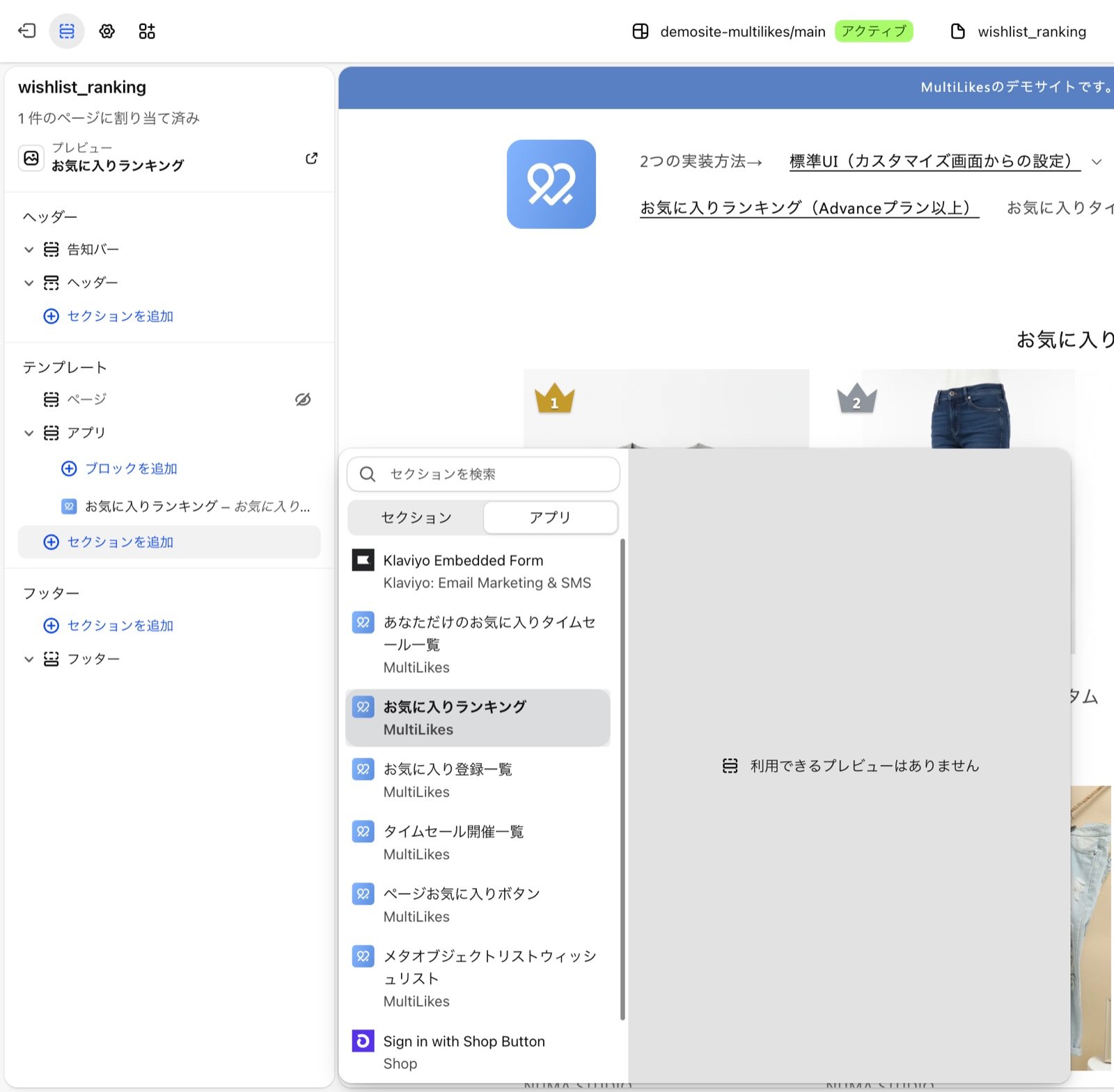
3
Adjust the settings and save
After you add the block, its settings appear. Adjust the heading, the subheading, and the number of products, then click Save. See the table below for each setting.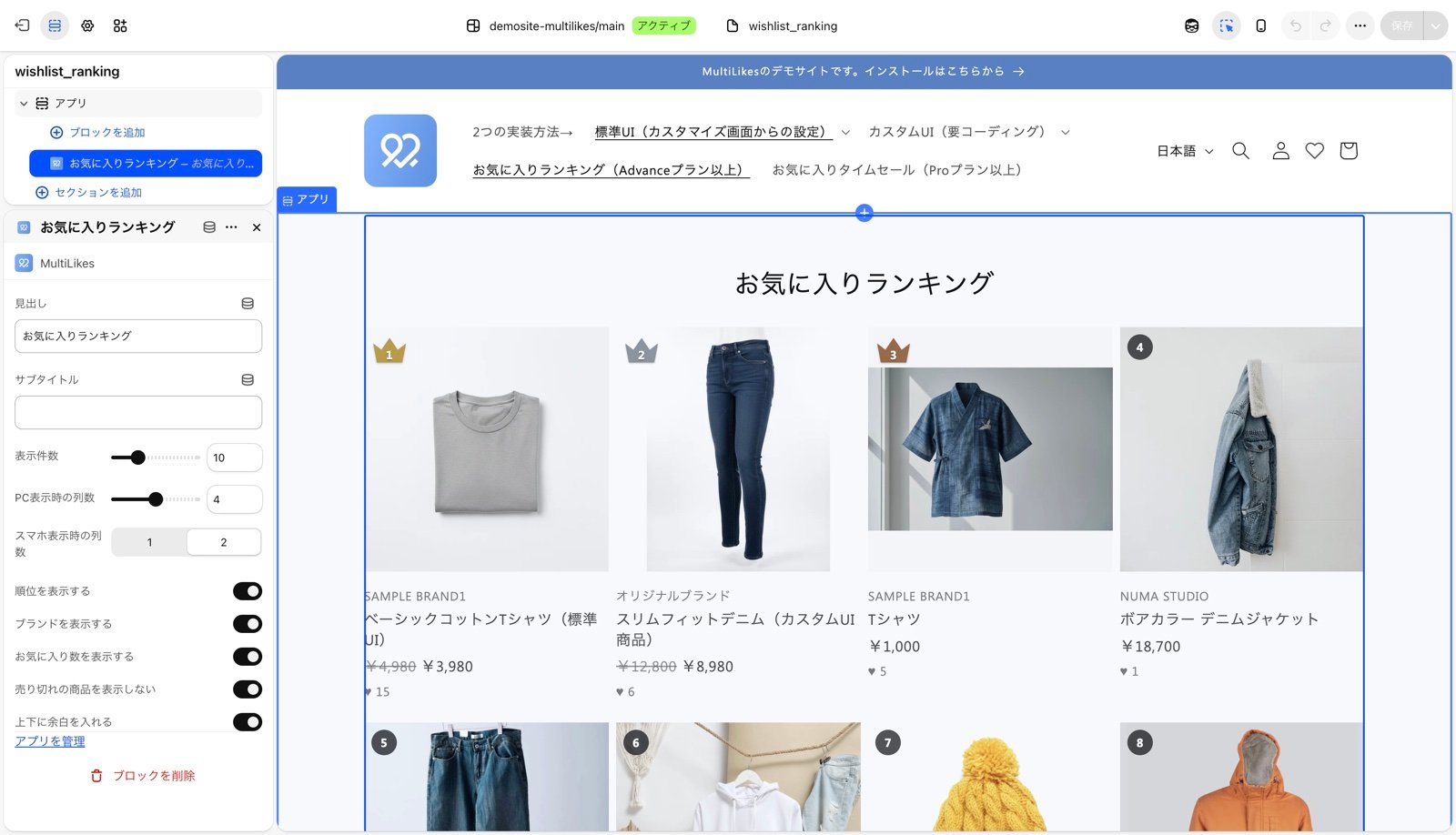
Settings
In Dawn and themes based on Dawn, the spacing between cards, the text alignment, and the image padding follow your theme settings, so the ranking uses the same spacing as the other product lists in your store. It uses Layout > Grid (Horizontal space and Vertical space) and Product cards (Image padding and Text alignment).
With Show rank and Show favorite count turned on, the ranking looks like this.