

How it works
Our Klaviyo integration runs through Shopify Flow. Shopify Flow sends an event to Klaviyo, and a Klaviyo Flow triggered by that event sends the email.Setup
1. Use the Shopify Flow below to send events to Klaviyo
[MultiLikes] Send a Klaviyo event on product price drop.flow
Download (2.8 KB)
- Price drops on favorited products
- Low stock on favorited products
- Back-in-stock alerts for favorited products
Fields this template sends to Klaviyo:
- product_title
- Product name
- variant_title
- Variant name
- variant_image
- Variant image
- product_url
- Product page URL
- compare_at_price
- Price before the sale
- sale_price
- Sale price
2. Turn the flow on and send an event to Klaviyo
Klaviyo only offers an event as a trigger option once it has received it at least once, which the next step needs.3. Set up the Klaviyo Flow
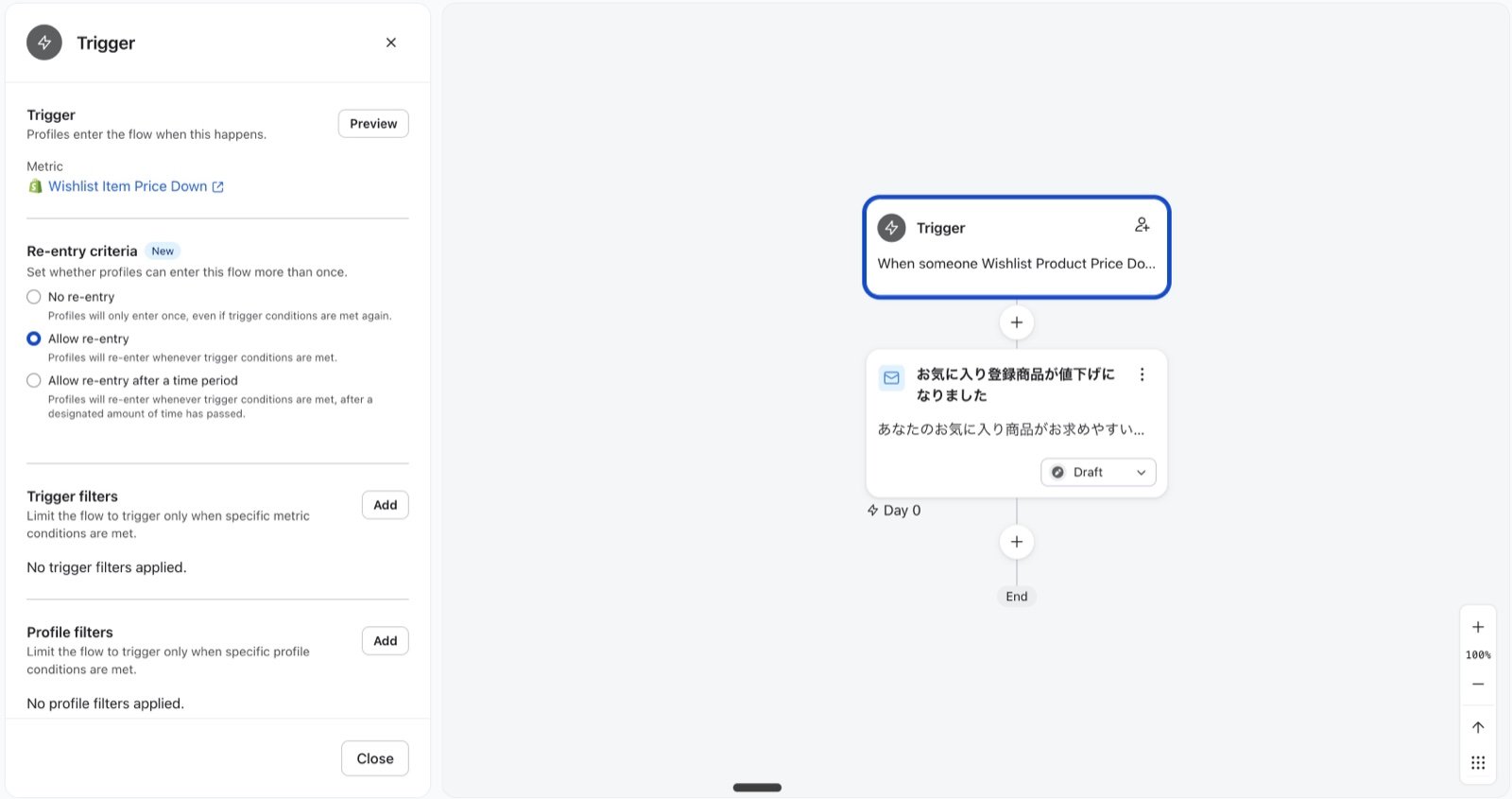
Write the email body however you like.The fields from step 1 are available as {{ event.[the field name sent from Shopify Flow] }}.