

Steps
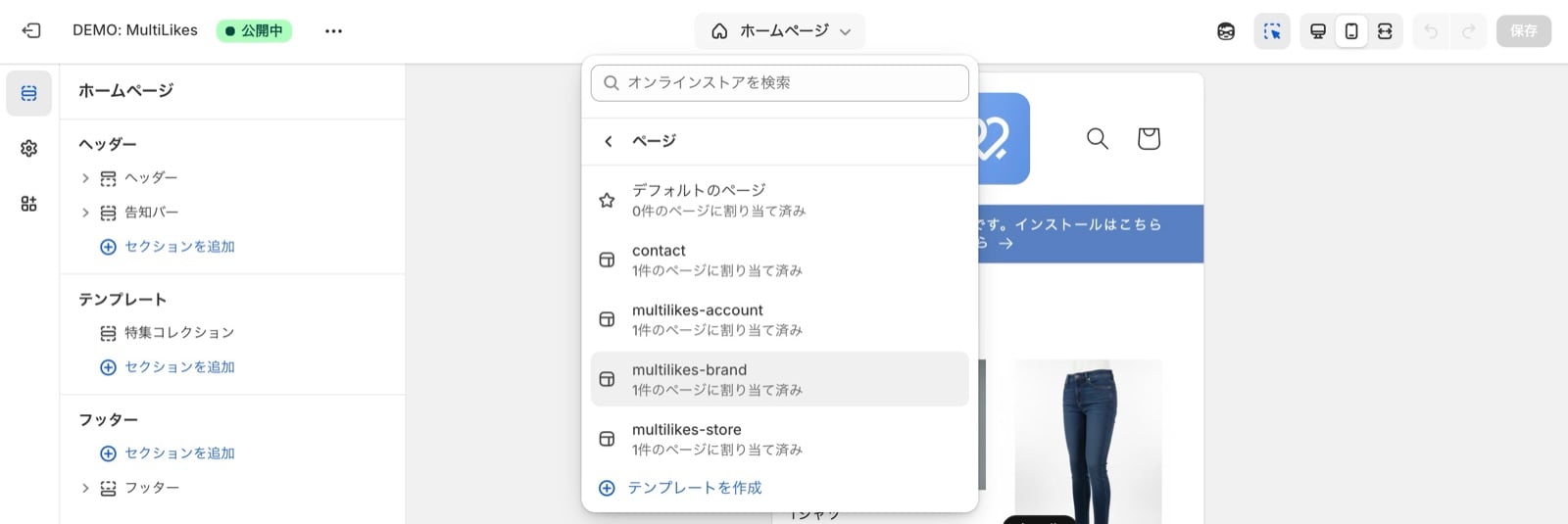
1. Go to Online Store > Edit theme, then Pages > Create template
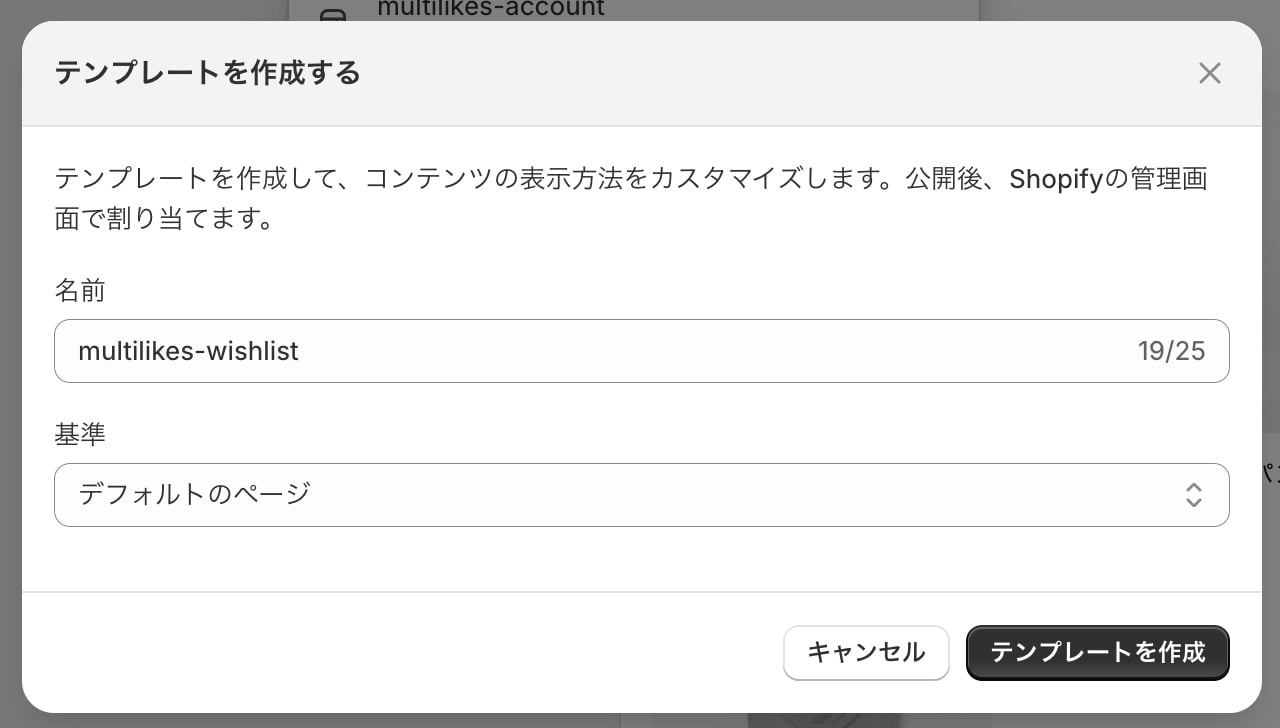
2. Enter the template name and press Create template
Template name:multilikes-wishlist
3. Use “Add block” to add the favorites list block
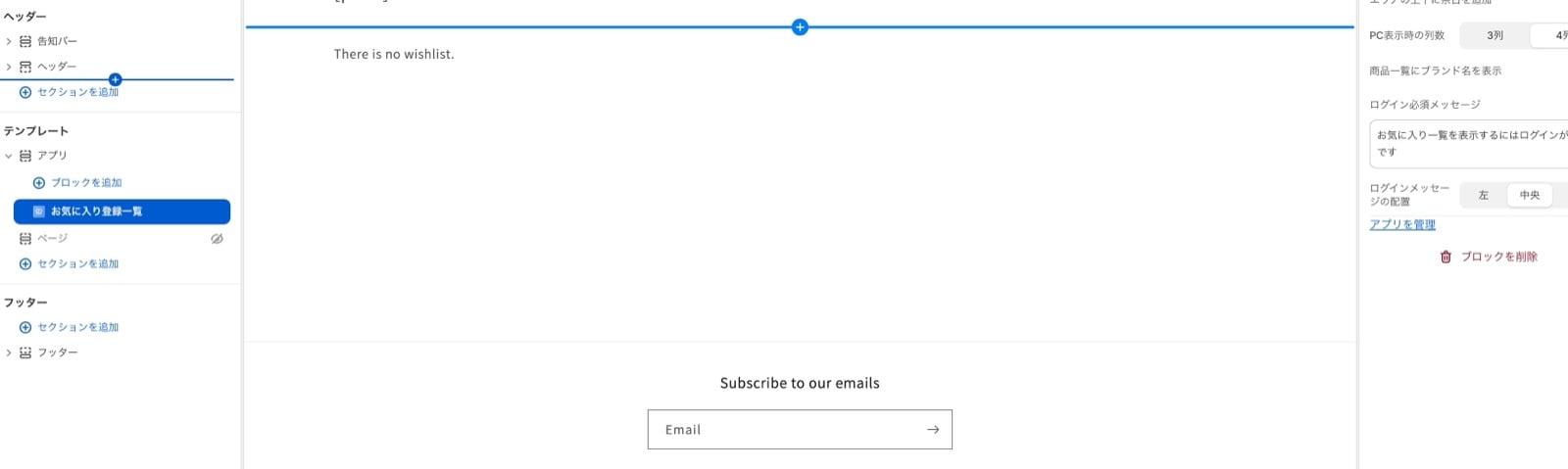
4. Press Save and check your storefront
5. Confirm it appears correctly. Setup is complete.
If your store uses the new customer accounts
As of January 2026, Shopify offers two versions of customer accounts:- The legacy version
- Customer accounts