

Select a plan
1
Open the app
In the left menu of your Shopify admin, open MultiLikes from Apps.
2
Select a plan
Open Plan in the menu, press Select plan, and choose a plan on Shopify’s plan selection screen. Before you select a plan, you can also reach the Plan screen from View plans in “Select a plan” on Home.Compare plans on the Plan screen shows the features in each plan.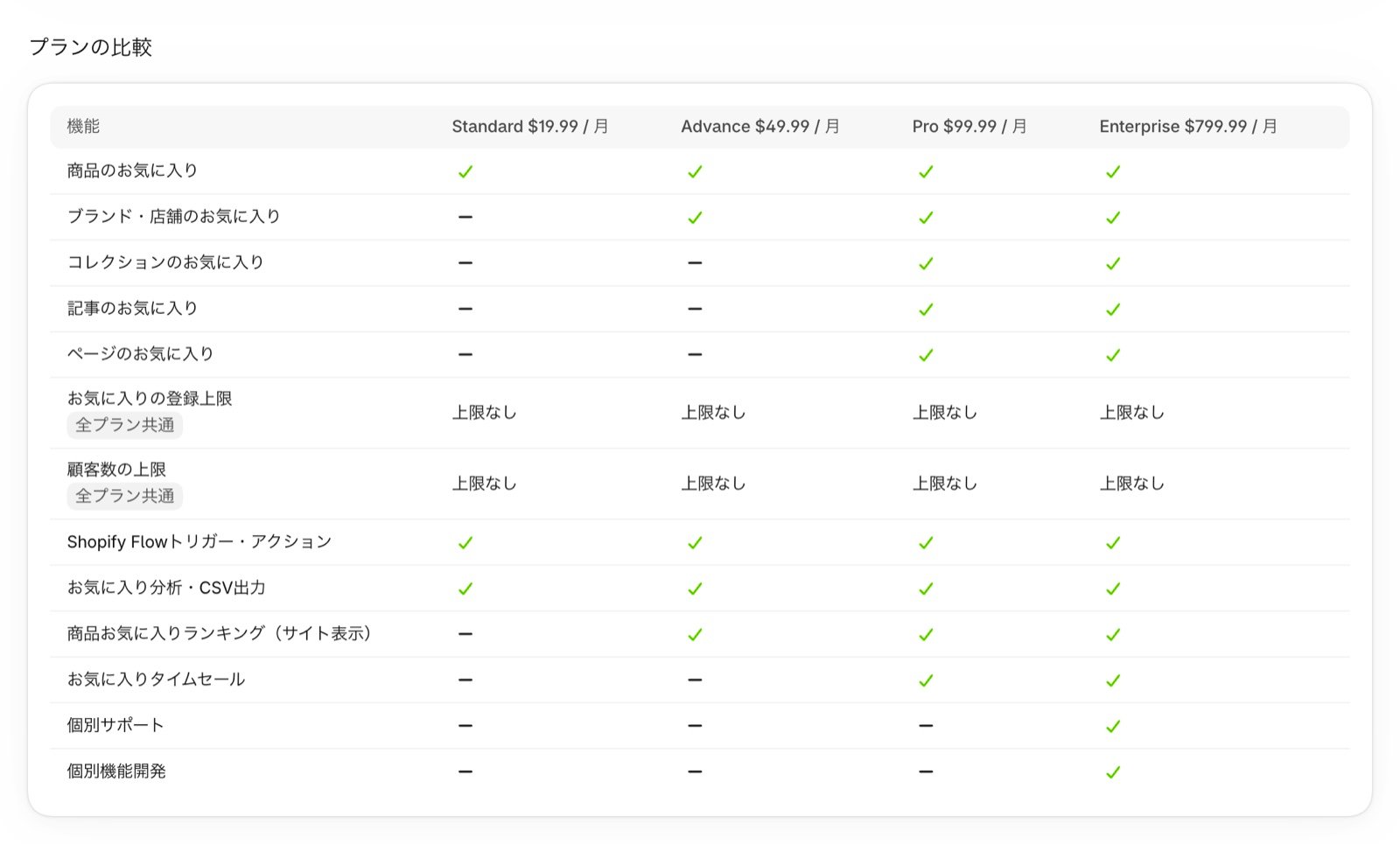
Turn on the app embeds
1
Open the theme editor
In the app’s Settings, open the Installation guide and press Open theme editor for Enable the app embed. The theme editor for your live theme opens with App embeds shown and Enable Wishlist turned on.You can also set this up by going to Online Store > Themes in your Shopify admin, pressing Customize, and opening the App embeds icon on the left.
2
Turn on both embeds
Turn on both Enable Wishlist and Enable Product Wishlist Button.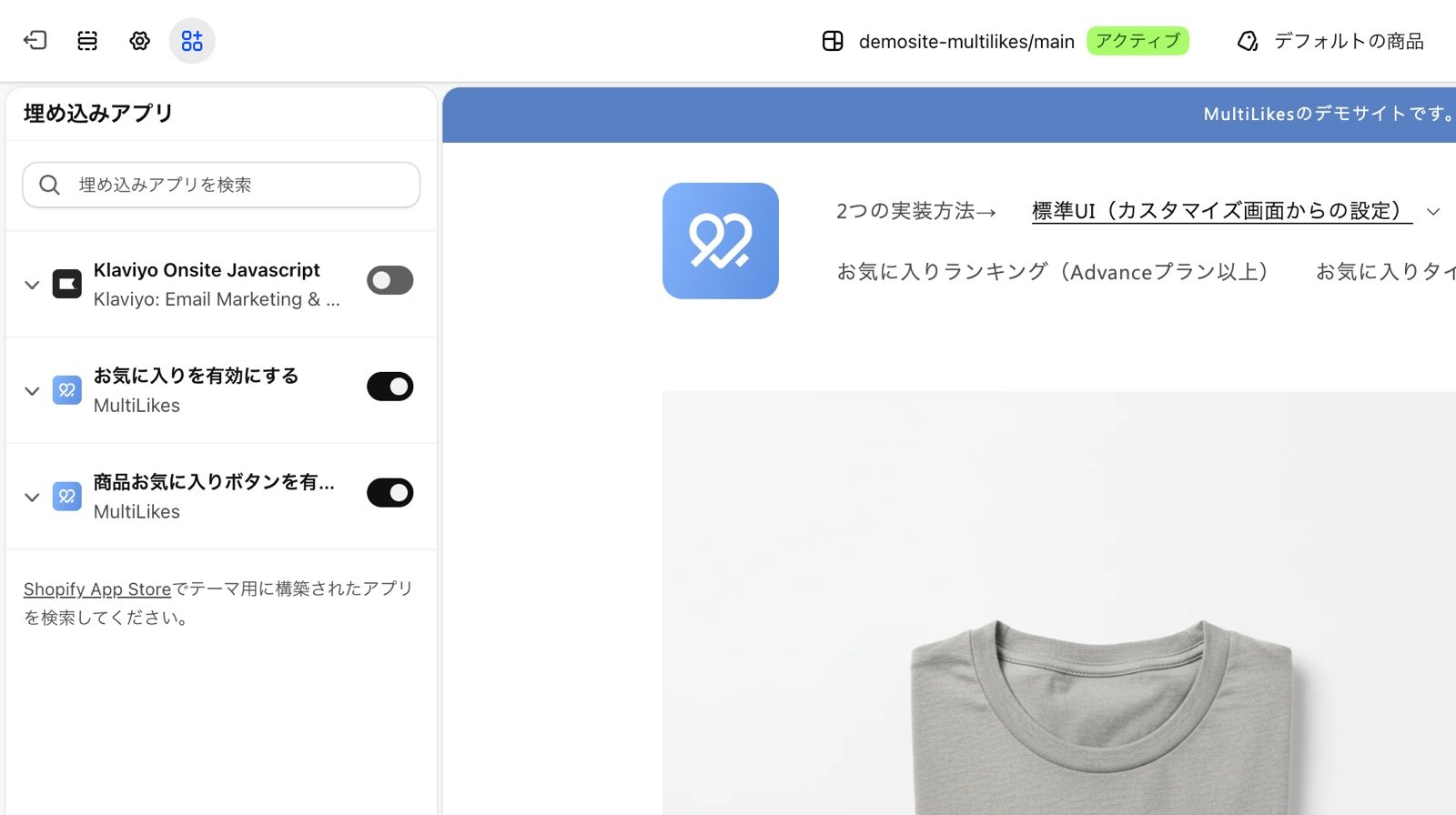
3
Save
Press Save in the top right.
Turning on the app embeds doesn’t change how your store looks. You place the favorite buttons in the next guide, Setting up product favorites.
Check that it’s set up
You’re done when Enable the app embed is marked Added in the Installation guide in the app’s Settings. You can also check it under Installation status on Home.The status is read from your live theme. If you set this up in an unpublished theme, check again after you publish it.