

Steps
1. Go to Online Store > Edit theme and select the default page template
2. Use “Add block” to add the page favorite button
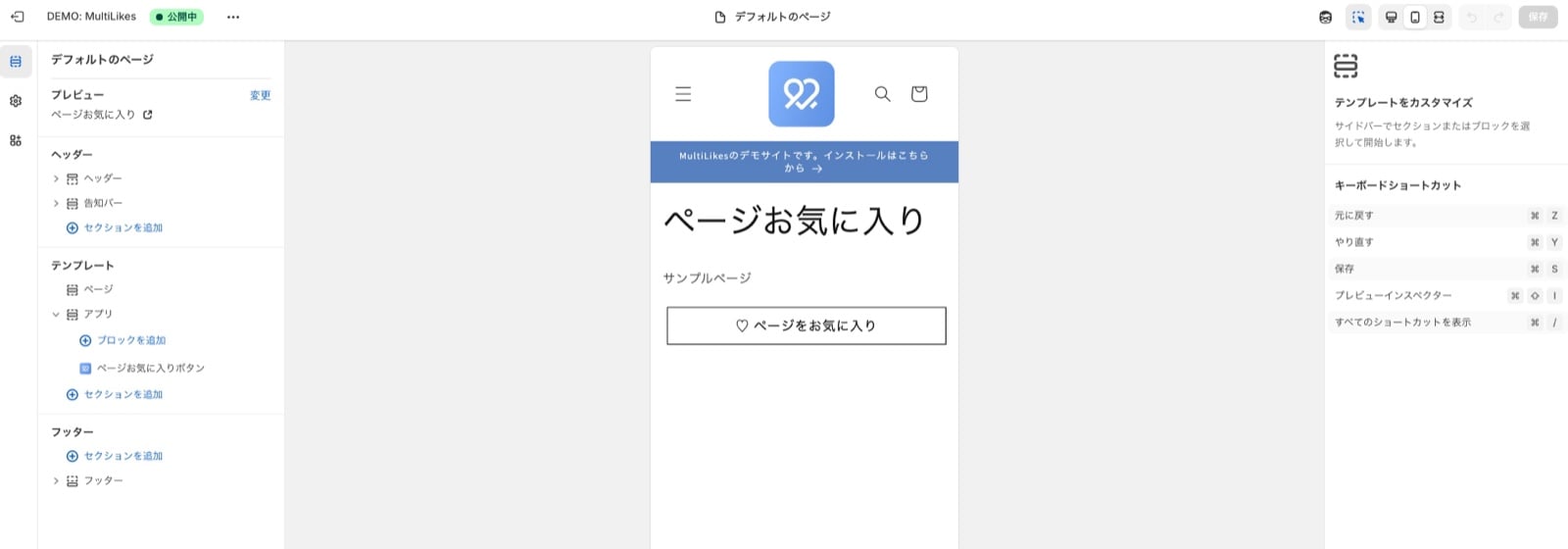
3. Press Save and check your storefront
4. Confirm it appears correctly. Setup is complete.
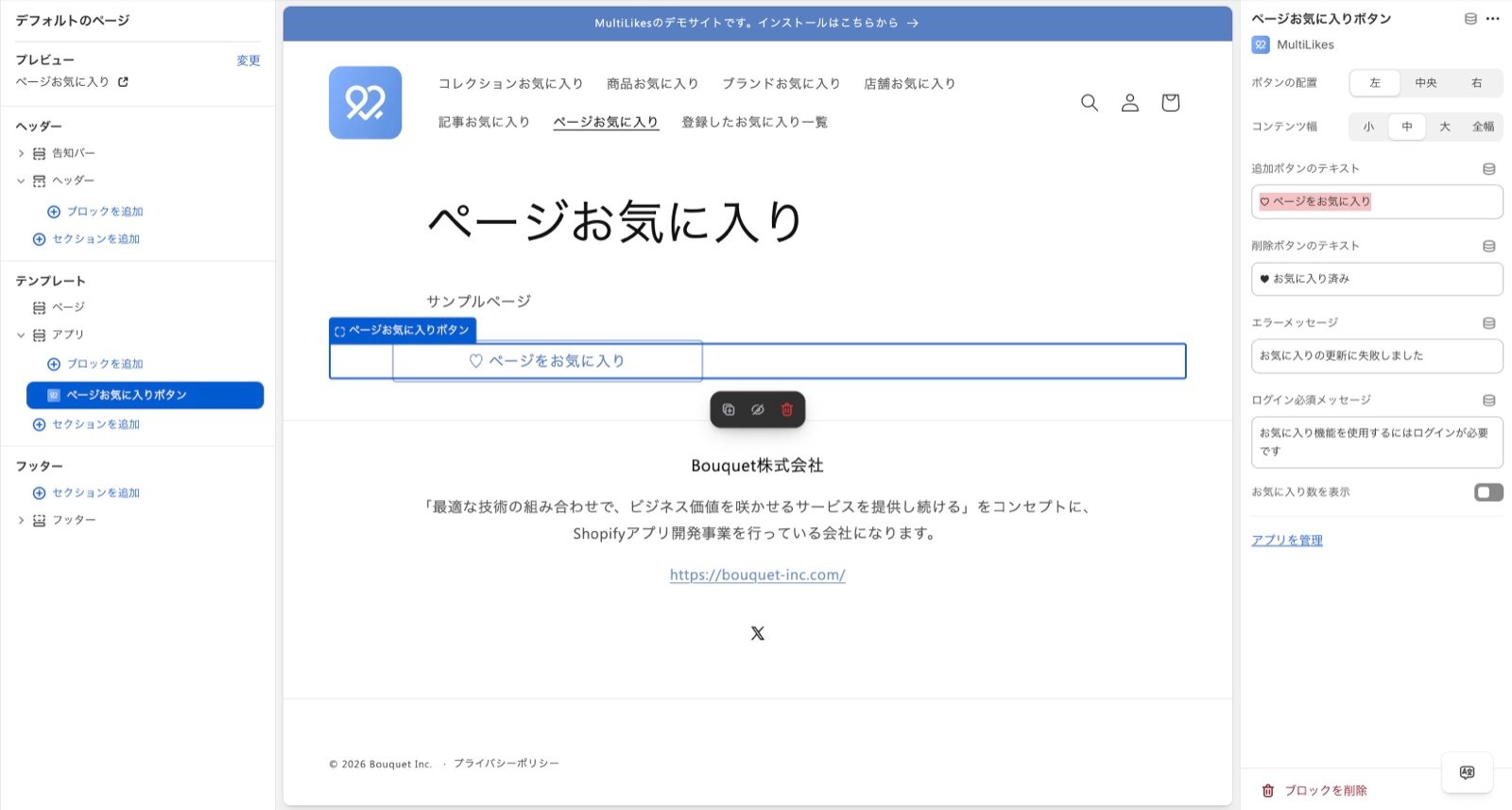
- Button placement
- You can change where the button sits
- Content width
- You can set the content width of the section
- Small: 600px
- Medium: 800px
- Large: 1000px
- Full width: 100% (the parent’s content width)
- You can set the content width of the section