

Purpose
Records inventory changes for favorited products.What to do
Import the Shopify Flow template below and turn it on.[MultiLikes] Product inventory change detection [product favorites].flow
Download (1.0 KB)
For engineers
What this flow does
Whenever a product’s inventory changes, it sends the change to the app so the app database always holds the correct stock level.Settings
In general nothing here needs changing.
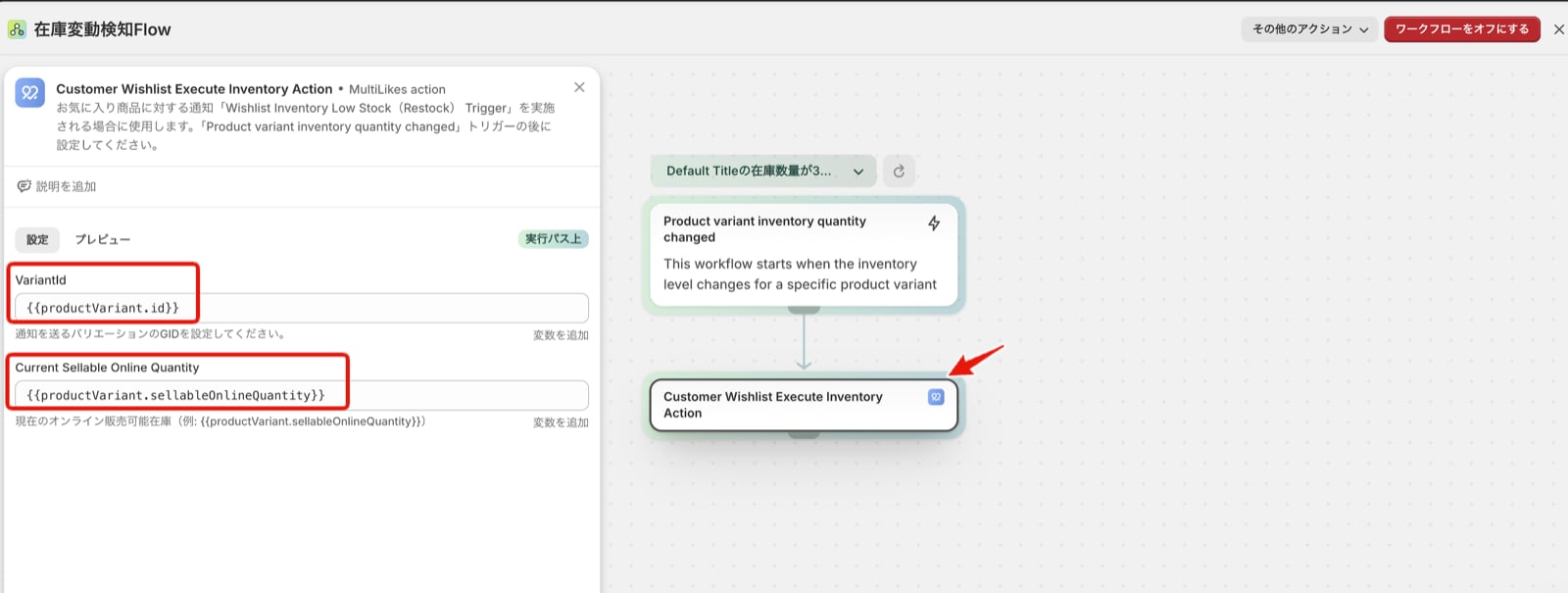
- Variantid
- Set {{productVariant.id}}
- Current Sellable Online Quantity
- Set {{productVariant.sellableOnlineQuantity}}
Because of how Shopify works, merchants who manage retail inventory in Shopify through Shopify POS would otherwise see stock counted as online plus POS. We use Current Sellable Online Quantity so the figure covers online stock only.