

What the coupon claim button does
When you add the “Coupon claim button” block to your theme, a logged-in customer can use the coupon only after pressing the button. The claimed coupon also appears in the coupon list on the account page and at checkout. Customers who haven’t pressed the button can’t use the code at checkout, even if they know it. Shopify decides whether the code can be used. When a customer presses the button, a customer tag starting withdd-claim- is added to them. Discount Deck creates a customer segment (the claim segment) whose condition is that tag. By setting the discount’s eligibility to the claim segment only, only customers who claimed the coupon can use it.
Ideas for using it
- A coupon on the product page — let customers claim it while they look at the product
- A coupon on a landing or campaign page — make it a perk only for people who visit the page
- A reason to create an account — claiming requires logging in, so it nudges guests to register
- Traffic from newsletters and social media — give the coupon only to people who press the button on the linked page
Available on the Standard, Pro, and Enterprise plans. Not available on the Free or Starter plan.
Requirements
If a coupon doesn’t meet these requirements, the coupon detail page shows “This coupon can’t use the claim button yet” with the reason, and you can’t turn it into a claim coupon.
How to set it up
1
Approve the app's new permission (first time only)
The coupon claim button needs a new app permission (app proxy). The first time you open Discount Deck on or after November 9, 2026, an approval screen appears. Approve it.Until you approve it, the coupon detail page shows “Approve the app’s new permission (app proxy)” and you can’t distribute coupons with the claim button. Reopen the app to see the approval screen.
2
Create the discount in Shopify
In the Shopify admin, go to Discounts and create a code discount. Set the value, code, active dates, one-use-per-customer limit, and so on as usual.
3
Press "Distribute with a claim button" on the coupon detail page in Discount Deck
Open the coupon from the app’s “Coupon List”, and press “Distribute with a claim button” in the “Show the coupon with a claim button” card.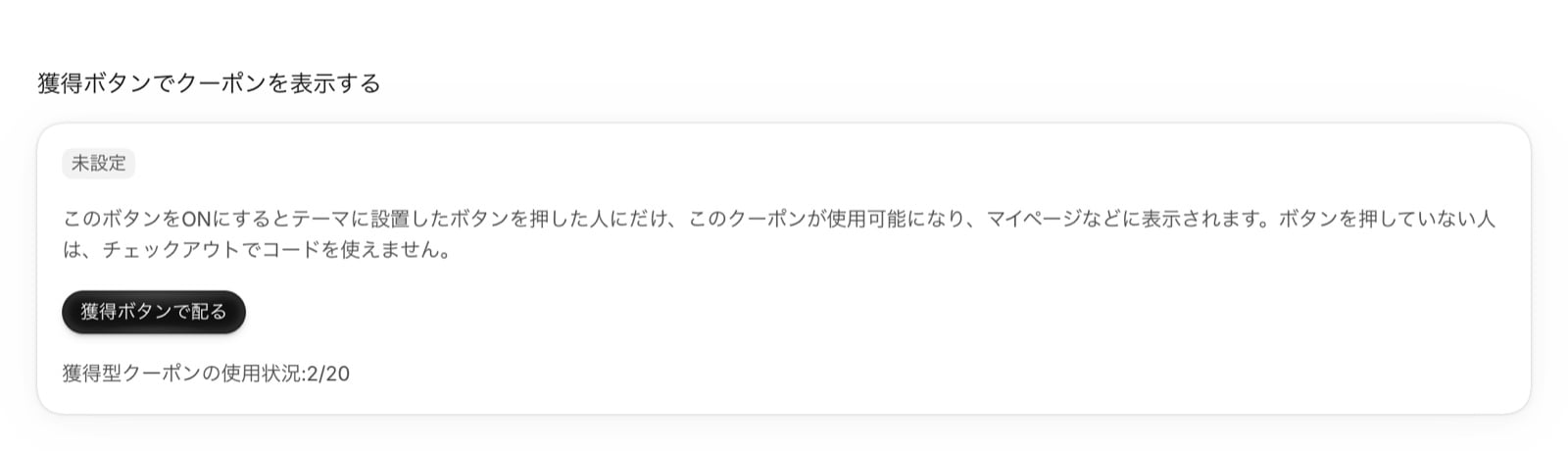
4
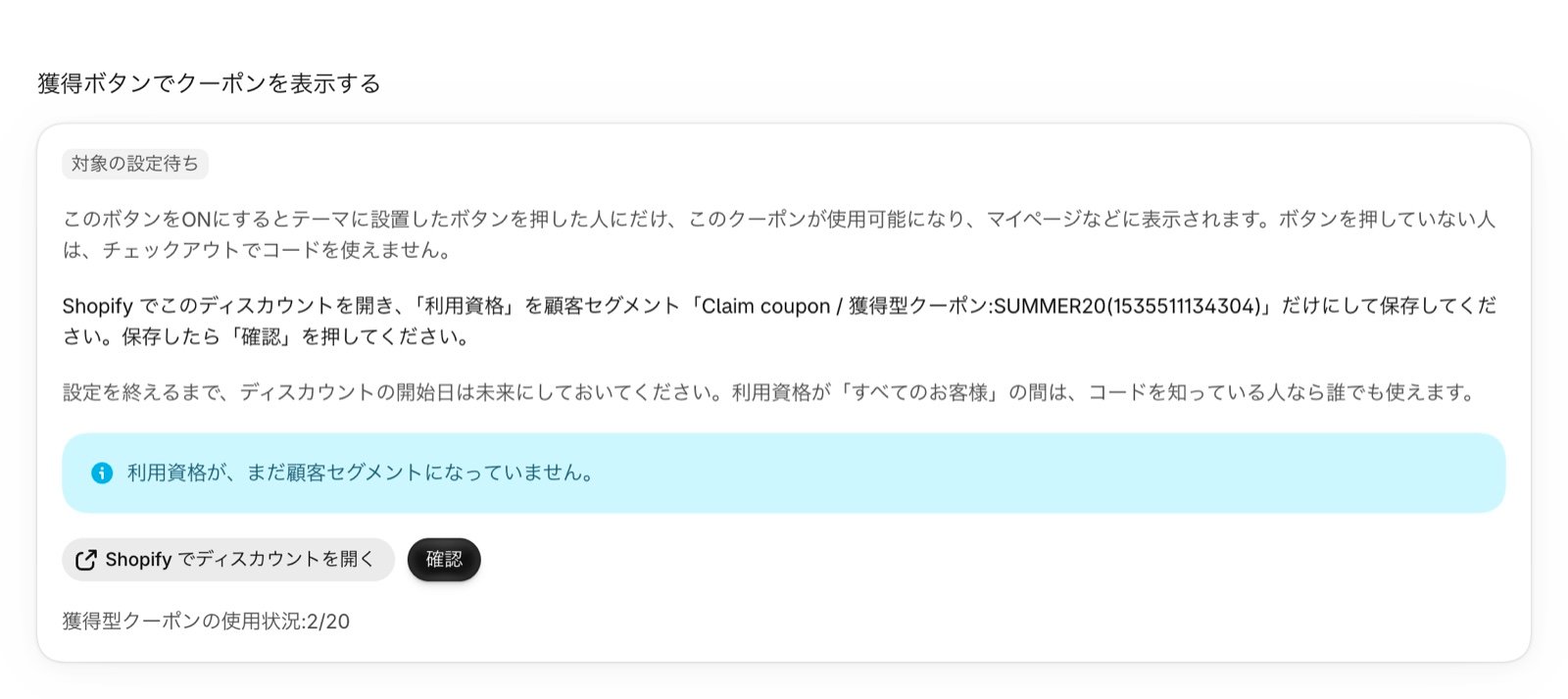
Set the discount's eligibility to the claim segment only in Shopify
Press “Open the discount in Shopify” in the card to open the discount in the Shopify admin. Under Eligibility, choose “Specific customer segments”, select only the claim segment created in step 3, and save.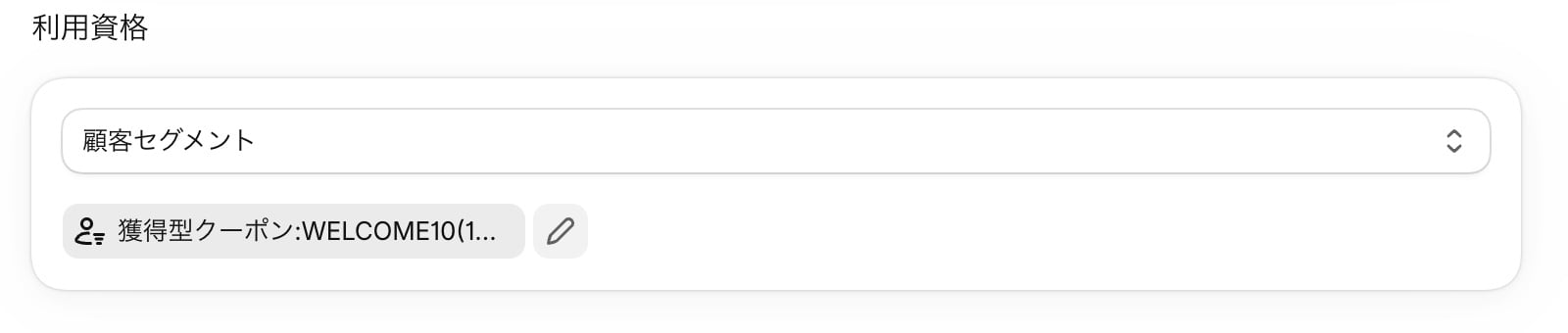
5
Go back to Discount Deck and press "Confirm"
Back on the coupon detail page, press “Confirm”. If the eligibility is set to the claim segment only, the status changes to “Active” and the coupon is treated as displayed on the account page. You don’t need to sync it from the coupon list.The card shows the “ID for the button”. Press “Copy ID” to copy it.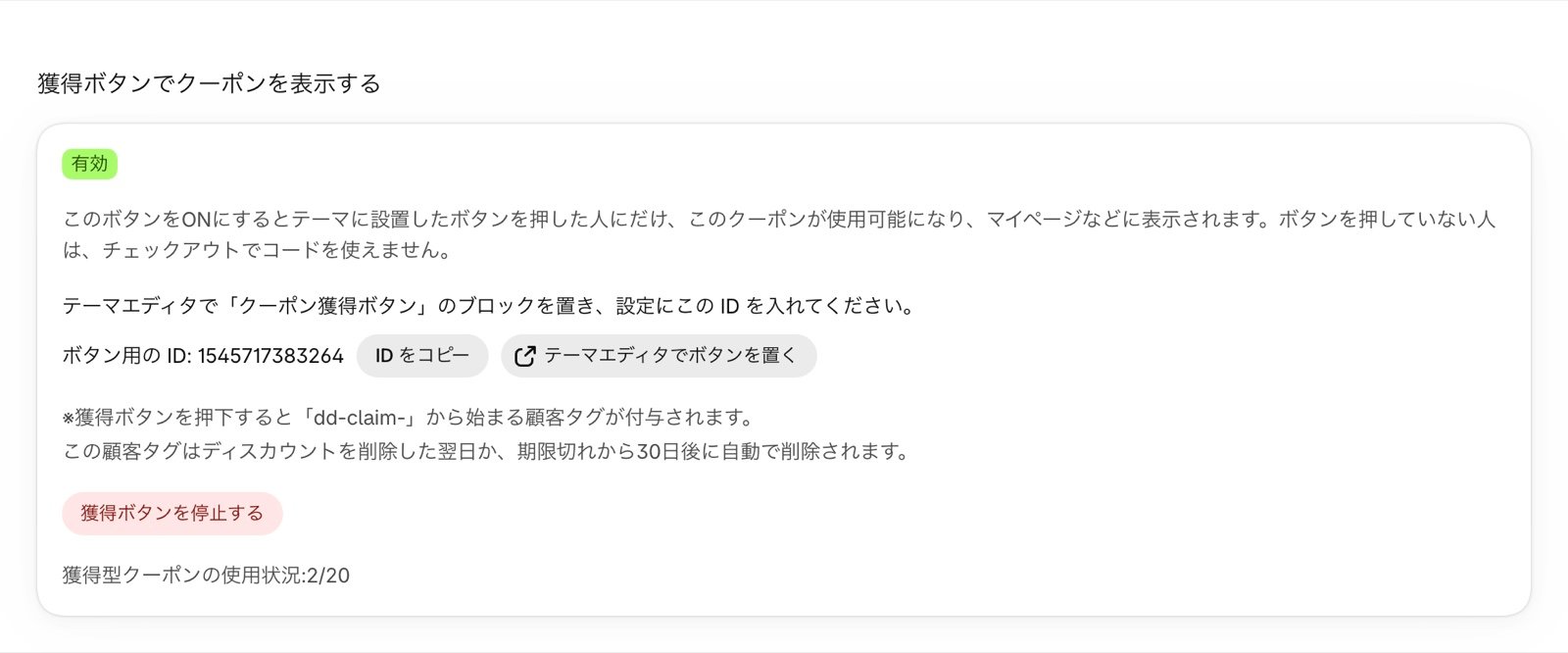
6
Add the "Coupon claim button" block in the theme editor
Press “Add the button in the theme editor” in the card to open the theme editor with the block added to the product page template. To place it on another page, go to Online Store > Themes > Customize, open the page, and choose “Add block” > “Apps” > “Coupon claim button”.Paste the ID you copied in step 5 into the block’s “ID for the button” setting. Set the heading, description, button text, and colors, then press “Save”. See “Block settings” below for each setting.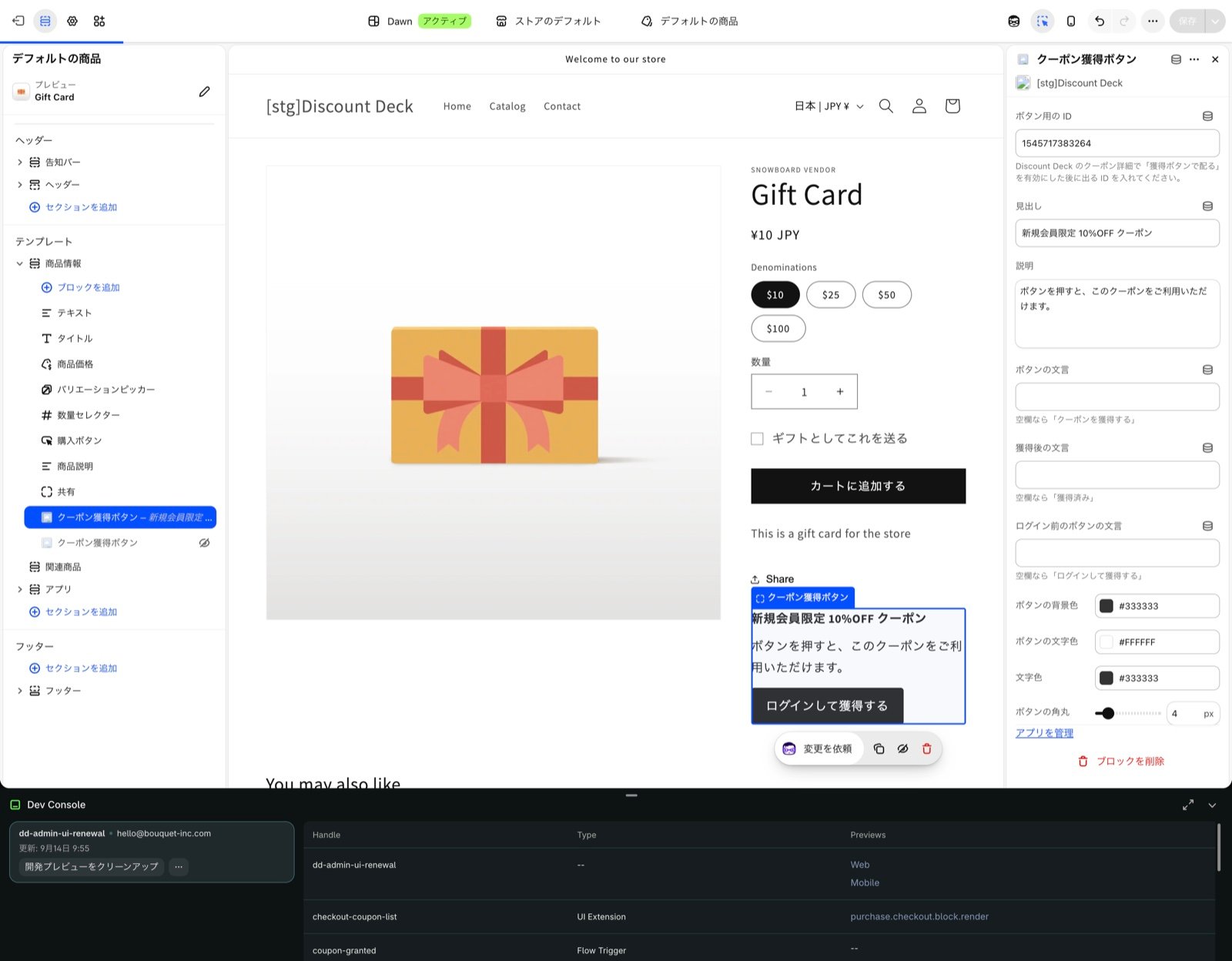
On pages that have no section that accepts blocks, add an “Apps” section first and place the block inside it.
7
Set the start date and test it
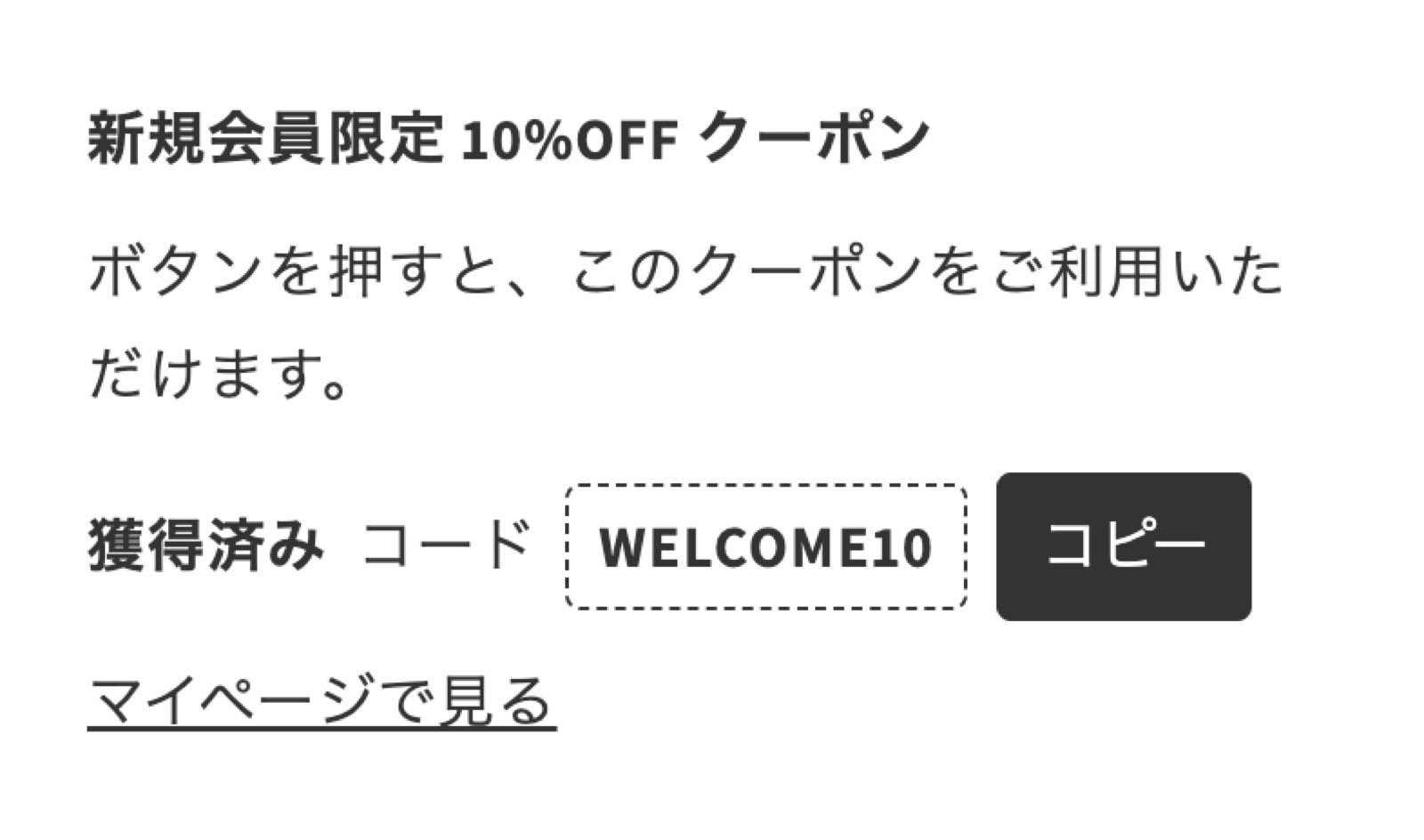
Change the discount’s start date in Shopify to when you want to start distributing the coupon.Log in to your store as a test customer and press the button. The button changes to “Claimed”, and the coupon code, a “Copy” button, and a “See in your account” link appear. A few seconds later, the coupon also appears in the coupon list on the account page and at checkout.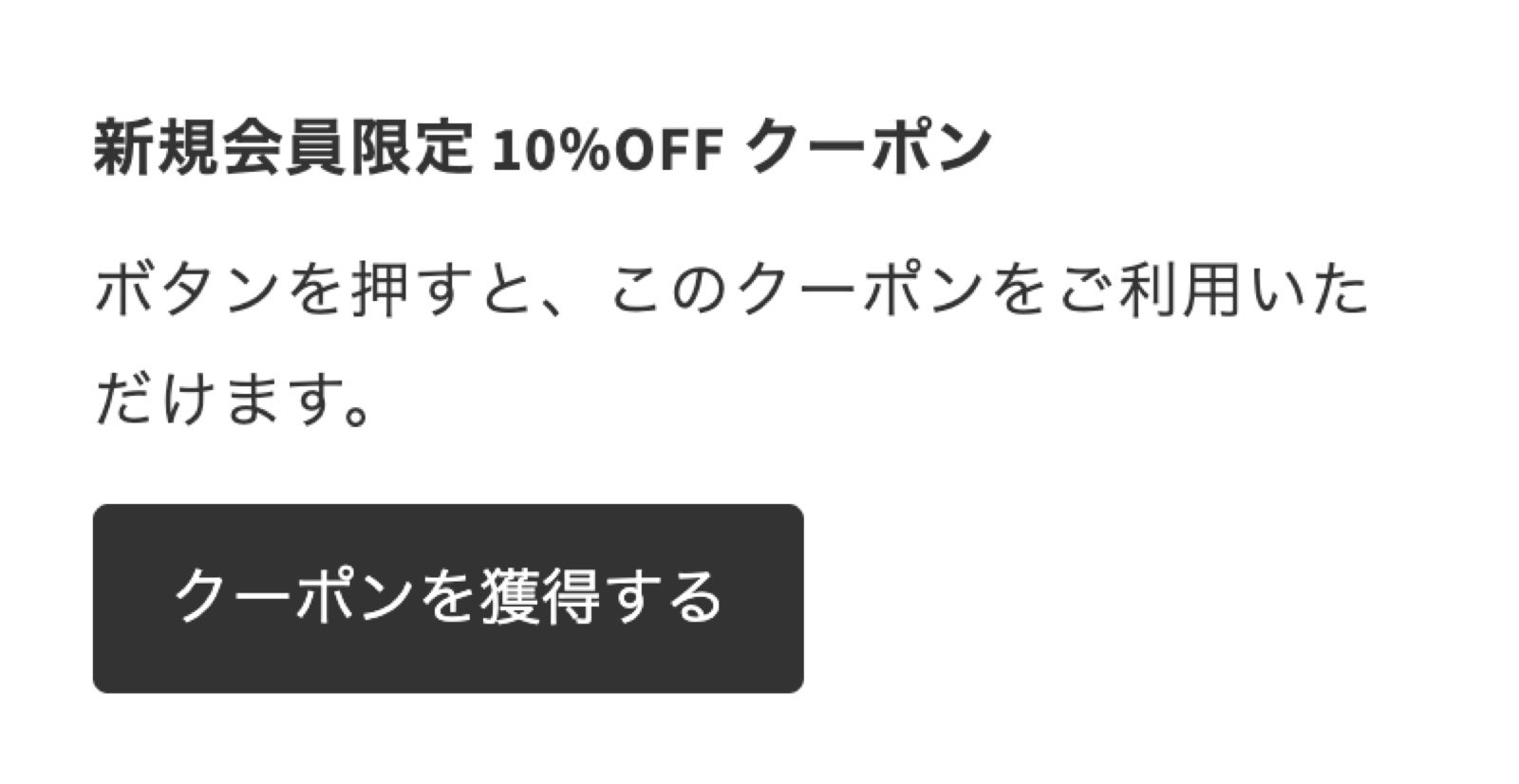
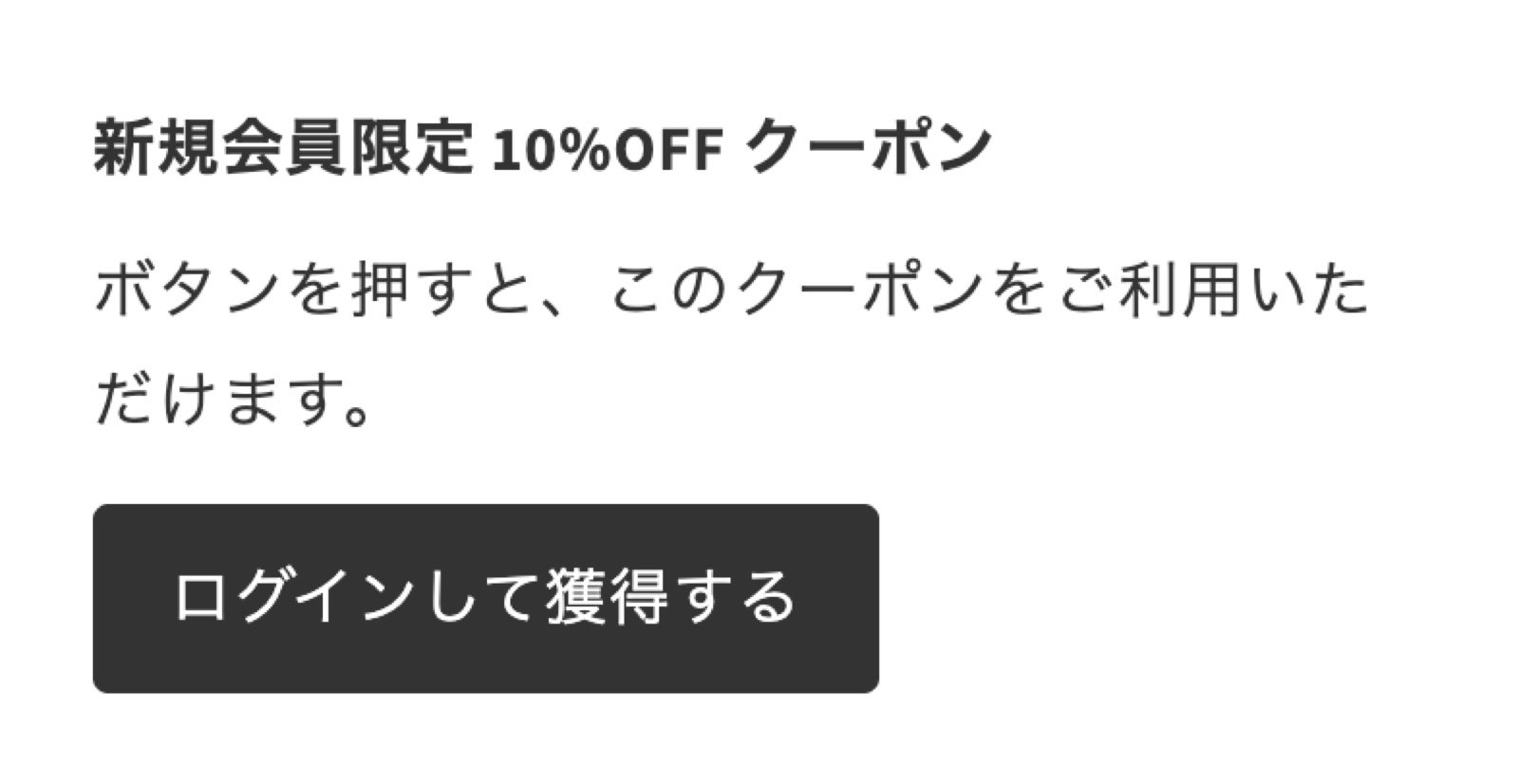
Block settings
While “ID for the button” is empty, a notice asking you to enter the ID appears only in the theme editor, and nothing is shown on the storefront.
What customers see
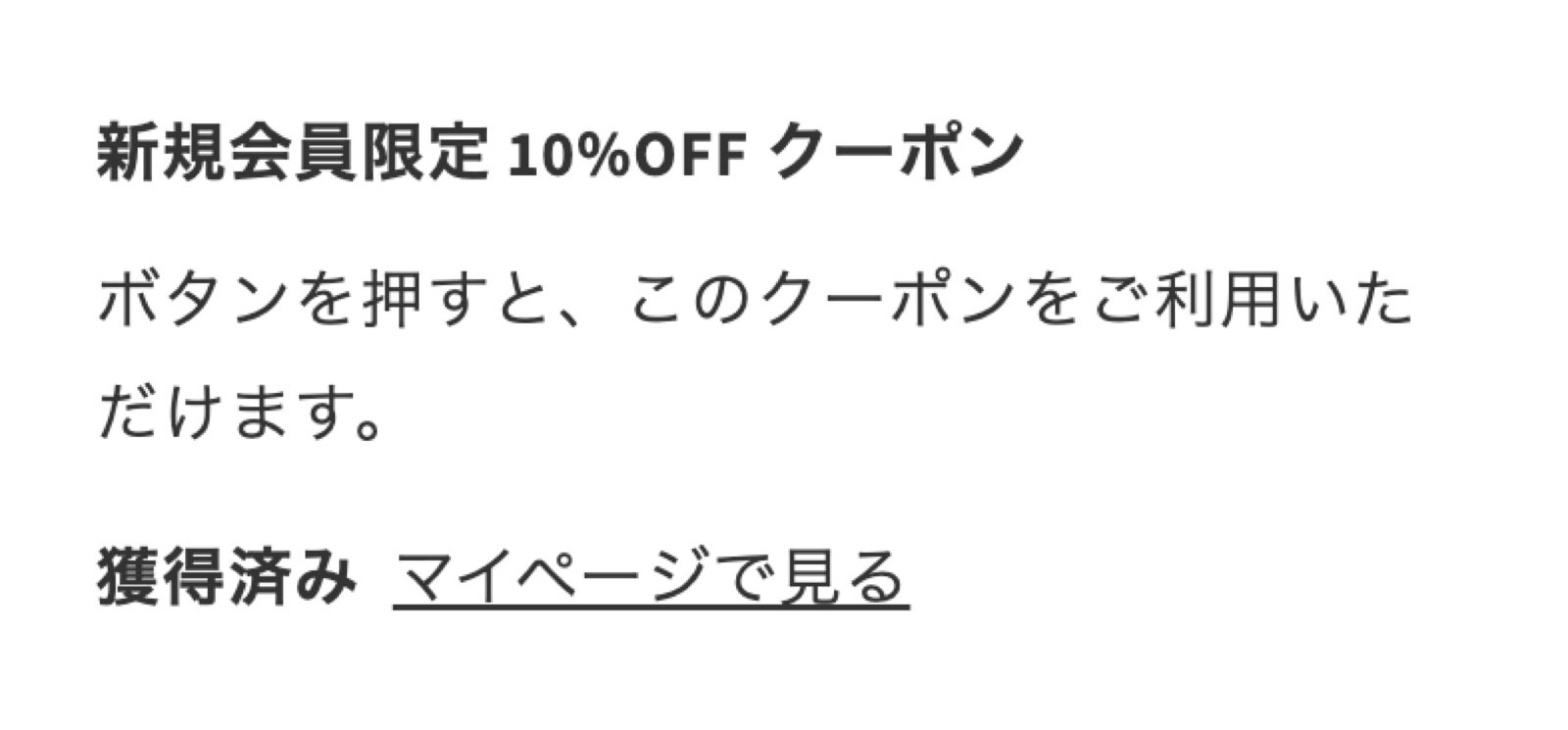
Stopping or ending distribution
- When the coupon expires: distribution ends automatically with the discount’s active dates. Customers who claimed it can no longer use it either
- Stopping it part way: press “Stop the claim button” on the coupon detail page to stop new claims. Customers who already claimed the coupon can use it until it expires. Press “Resume the claim button” to start distributing again
- When you delete the discount: the button on the storefront shows “This coupon can’t be claimed right now.” The next day, the claim tag is removed from customers who claimed it, and the claim segment is deleted
Please keep these rules
The claim button relies on three things working together: the customer tag, the claim segment, and the discount’s eligibility. Changing any of them by hand lets customers who haven’t claimed the coupon use it, or stops customers who claimed it from using it.- Don’t add or remove customer tags starting with
dd-claim-by hand. Don’t usedd-claim-for your store’s own tags either - Don’t edit the conditions of the claim segment created by Discount Deck, and don’t delete it
- Keep the discount’s eligibility set to the claim segment only. If the eligibility changes, the coupon detail page shows the warning “The claim button setup has changed”
- Keep the discount’s start date in the future until you finish the setup
- Shopify allows up to 250 tags per customer. Customers who have many tags from other apps or from your store’s operations can’t claim the coupon, and see “Couldn’t get the coupon. Please contact the store.”
- Don’t change the app proxy URL of Discount Deck under Settings > Apps and sales channels in the Shopify admin. If it changes, pressing the button no longer works
Checking who claimed the coupon
To see the list and number of customers who claimed the coupon, open the customer segment “Claim coupon / 獲得型クーポン:coupon name(coupon ID)” under Customers in the Shopify admin (claim segments created earlier keep the name “獲得型クーポン:coupon name(coupon ID)”). The app doesn’t show this list. To notify customers who claimed the coupon, you can use the Shopify Flow workflow in Coupon issued notification as is.FAQ
A customer claimed the coupon but can't use the code at checkout
A customer claimed the coupon but can't use the code at checkout
Check the following in order.
- Does the coupon detail page in Discount Deck show the warning “The claim button setup has changed”? If so, check in Shopify that the discount’s eligibility is the claim segment only, and that the claim segment hasn’t been edited or deleted
- Is the discount within its active dates?
- For a one-use-per-customer coupon, has the customer already used it?
- Does the customer still have the tag starting with
dd-claim-? It is removed automatically 30 days after the discount expires
A customer claimed the coupon but it doesn't appear in the list on the account page
A customer claimed the coupon but it doesn't appear in the list on the account page
It takes a few seconds for the coupon to appear in the list after claiming. Wait a moment and reload the account page.If the customer already has the maximum number of displayed coupons, coupons with later expiry dates are left out of the list. Even then, the code shown on the button can be used at checkout as usual.
I want customers who haven't claimed the coupon to use it too
I want customers who haven't claimed the coupon to use it too
Don’t add other segments or “All customers” to the discount’s eligibility. The claim button would stop working correctly. If you need a coupon that can be used without claiming, create it as a separate discount.
Can I limit the claim period or the number of customers?
Can I limit the claim period or the number of customers?
The claim period is the same as the discount’s active dates. To limit it, set the start and end dates of the discount in Shopify.Limiting the number of customers, such as first come first served, is not supported. To limit the total number of times the coupon can be used, use the discount’s usage limit in Shopify.