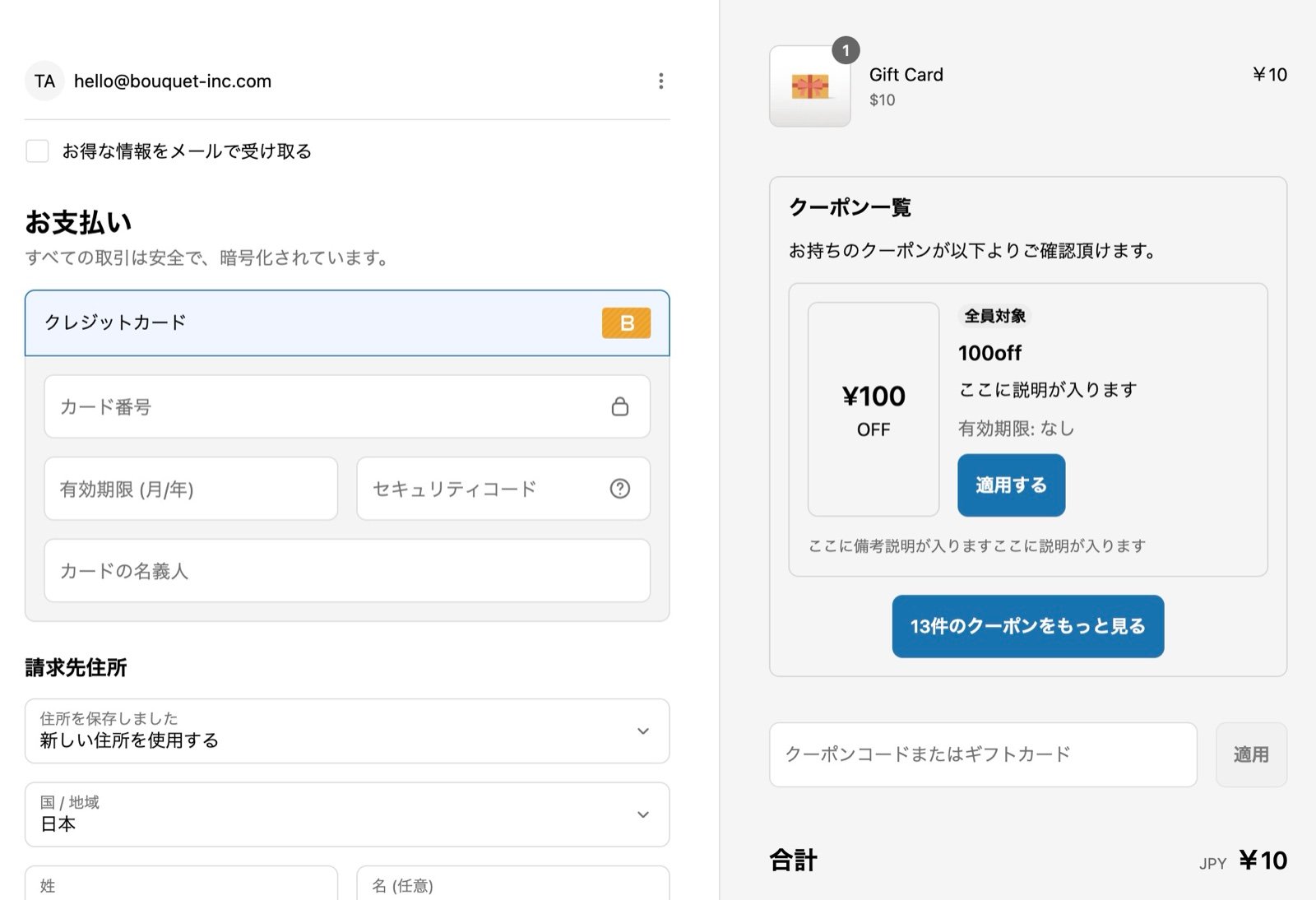
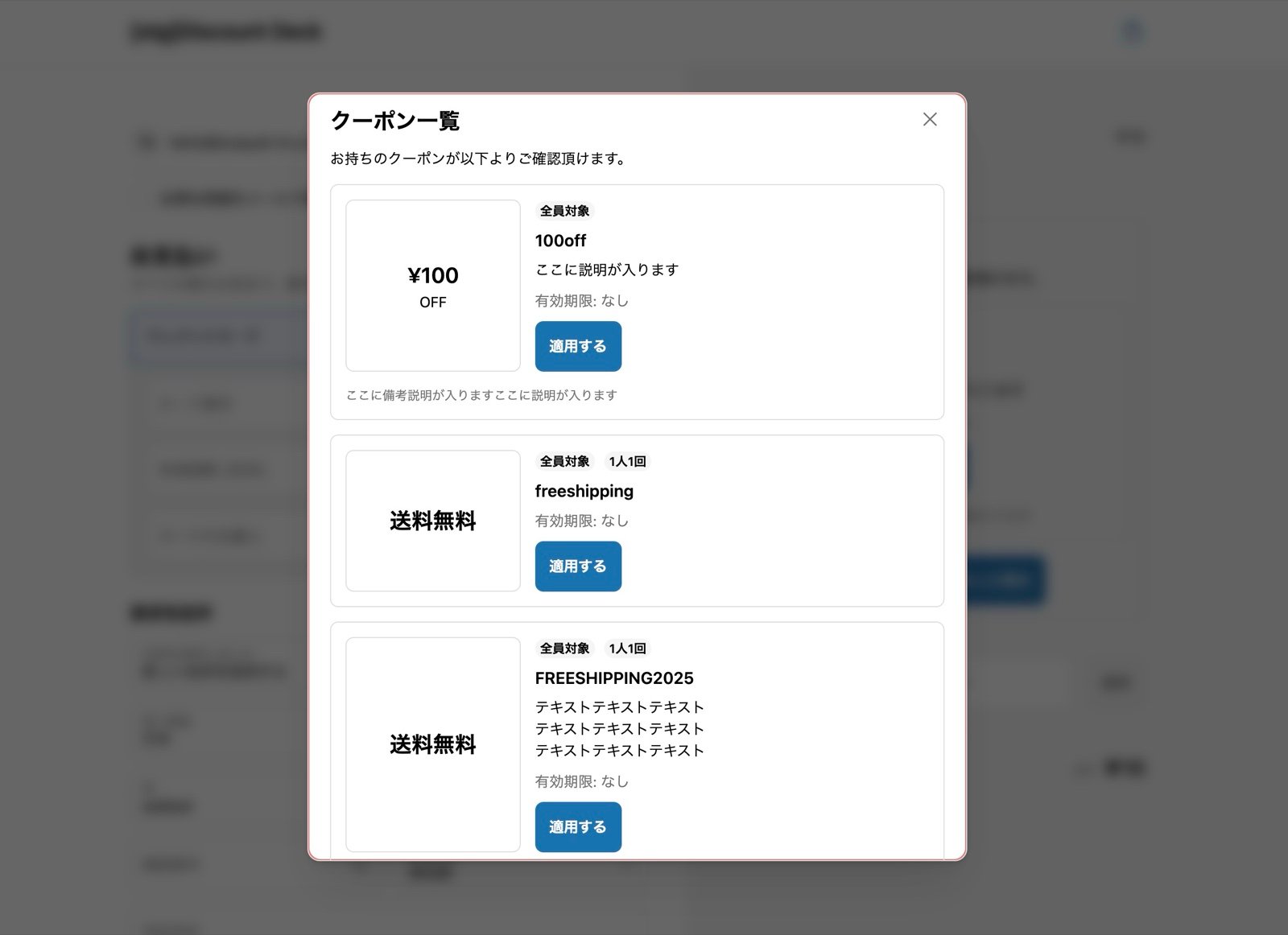
This page is for merchants on Shopify Plus.
Steps
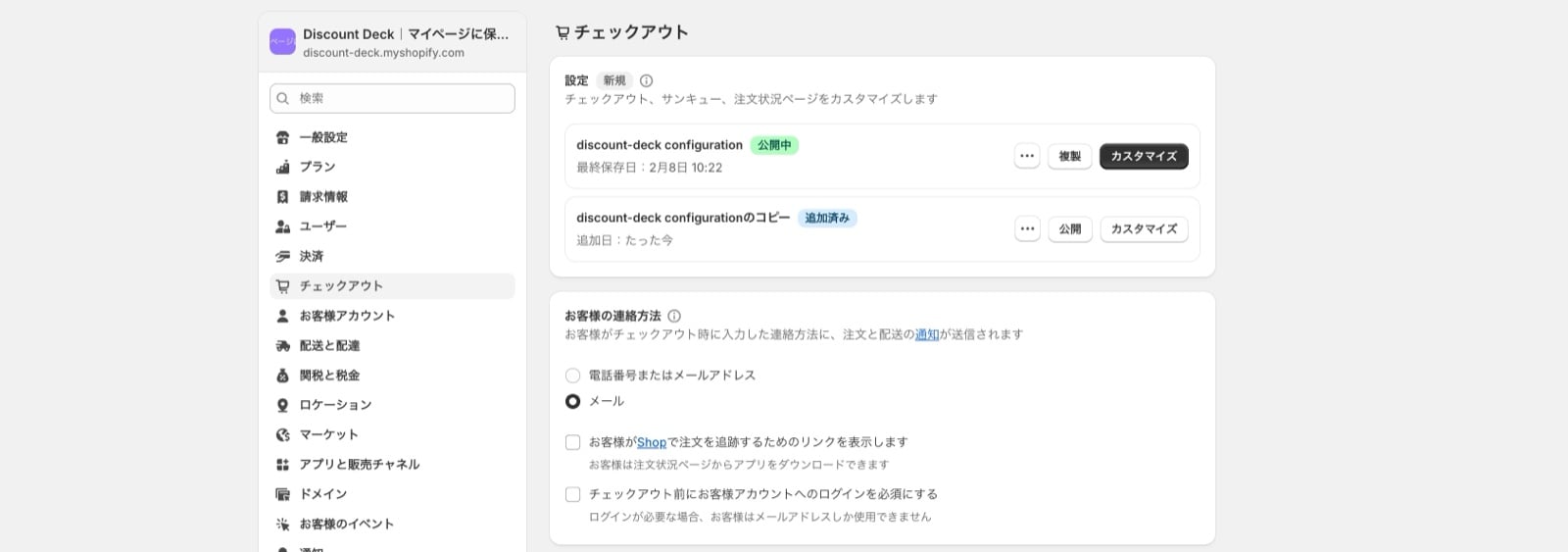
1. Go to Settings > Checkout (bottom left) and press Customize
2. Use “Add block” to add the coupon list
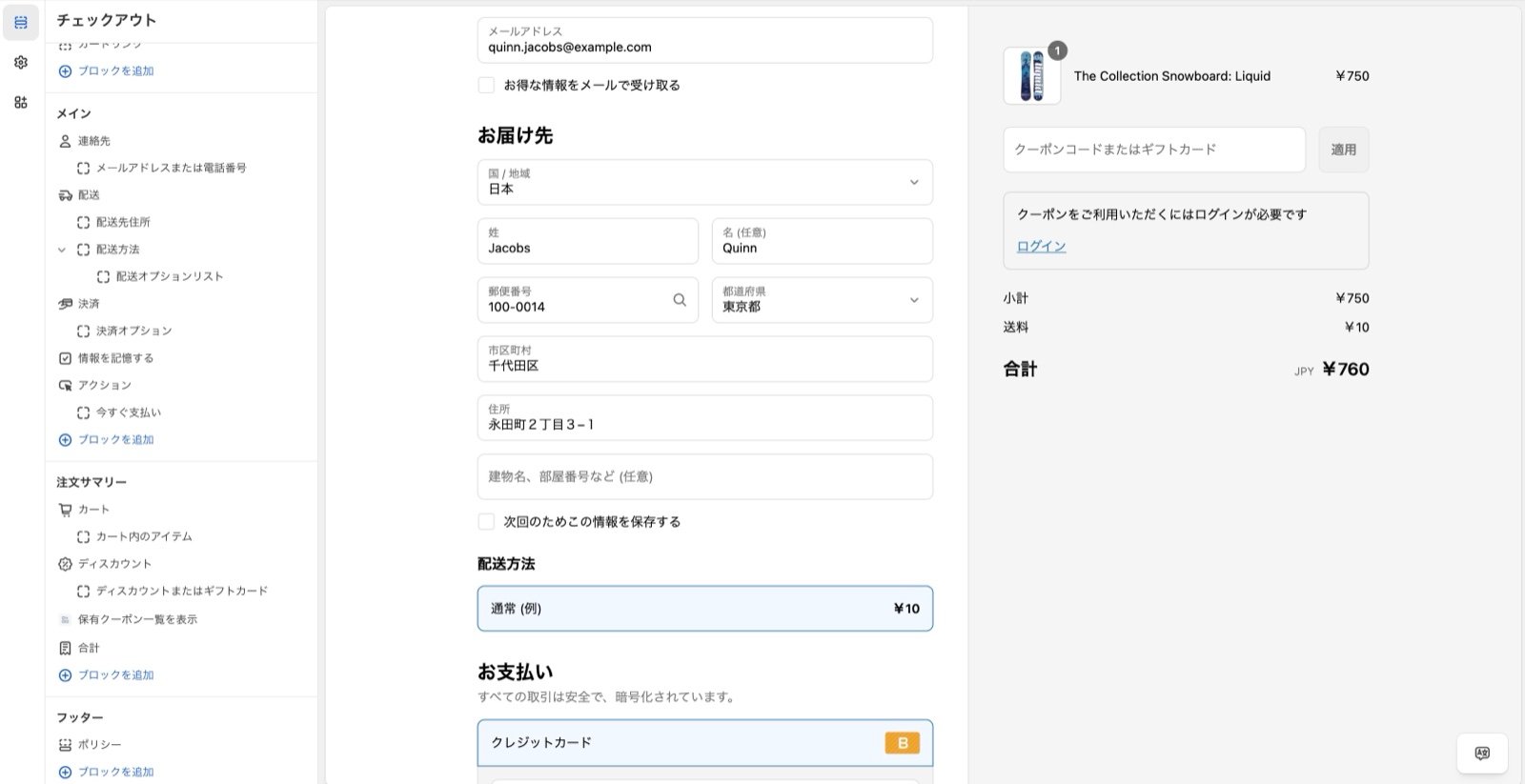
3. Optional: change the text
Days to display alert Set a number here. The app compares each coupon’s expiry date with the current date, and when the coupon expires sooner than the number of days you set, the expiry is shown as a countdown. Leave it empty and no countdown is shown. Coupon list title Changes the title text. Coupon list description Changes the text below the title. Login required message Changes the text shown before the customer logs in. Footer note Changes the note shown below the coupon area.4. Press Save at the top right
5. Setup is complete
Reference: sample screens