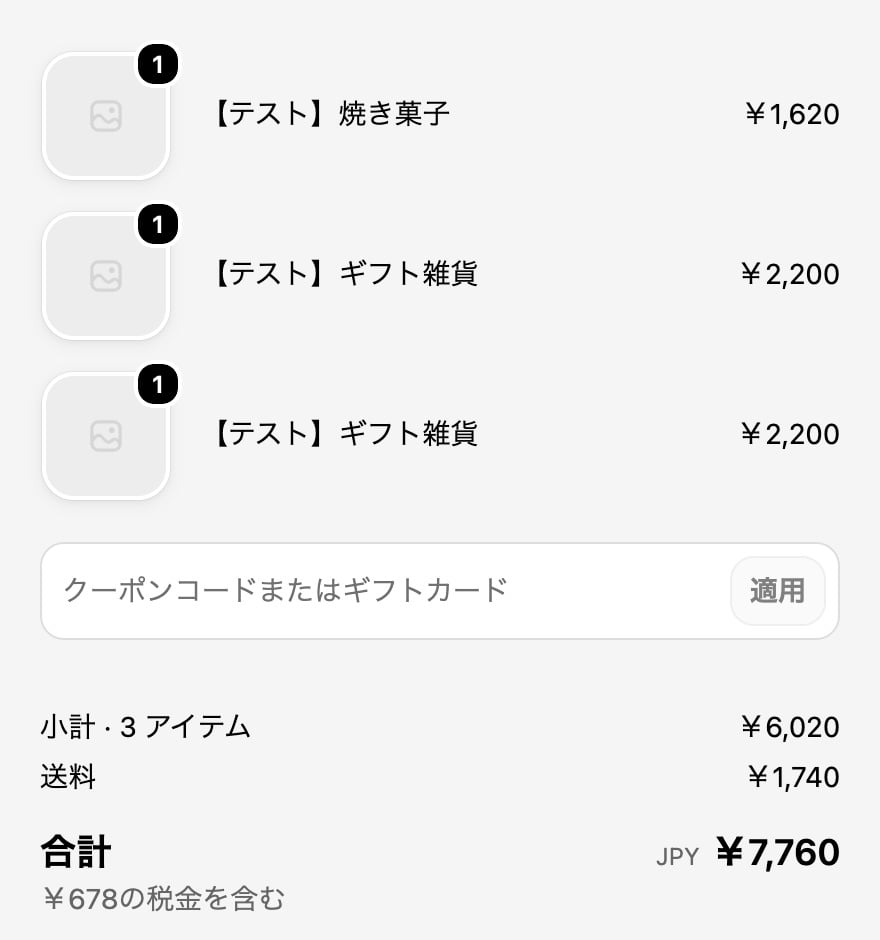
Customers enter discount codes at checkout

For orders with multiple addresses, customers can enter a discount code your store has created in the Discount code or gift card field at Shopify checkout. Shopify checks whether the code can be used (eligible products, dates, usage limits, combining with other discounts, and so on) according to the code’s settings. For example, these discount codes can be used:
  • A discount on the whole order (such as 10% off)
  • A discount on products (such as ¥100 off a product)
  • Free shipping
Gift cards can be used in the same field. The order summary at checkout, with the discount code or gift card field and the total including shipping (shown in Japanese)

Free shipping codes

When a customer enters a free shipping code, shipping for all addresses (the one 配送料(お届け先N件) line) becomes free.

Discounts are on the parent order

The discount is applied to the parent order, which holds the payment. Child orders are ¥0 orders for shipping, so they don’t show the discount. Check sales and discounts on the parent order (From order to child orders).

Codes entered in the cart and automatic discounts

Discount codes entered in the cart, and automatic discounts that don’t need a code, aren’t carried over to orders with multiple addresses. Customers enter their discount code again at checkout. To offer a campaign you run as an automatic discount on orders with multiple addresses too, create a discount code with the same terms and let customers know about it on the cart page or in your announcements. When customers enter the code at checkout, the discount applies.