

Logged-in customers
Step 1 of the allocation screen lists the addresses saved in the customer’s account address book.- Addresses added with 配送先を追加する (Add an address) on the allocation screen are saved to the customer’s address book
- Edits and deletions are also saved to the address book
- On the next order, customers can pick saved addresses right away
Guest customers (not logged in)
Customers can order without logging in by entering addresses on the allocation screen. Those addresses are used only on that screen and aren’t saved. They’re cleared when the page is closed, so they need to be entered again for the next order. For repeat customers, we recommend asking them to log in before ordering.Fields to enter
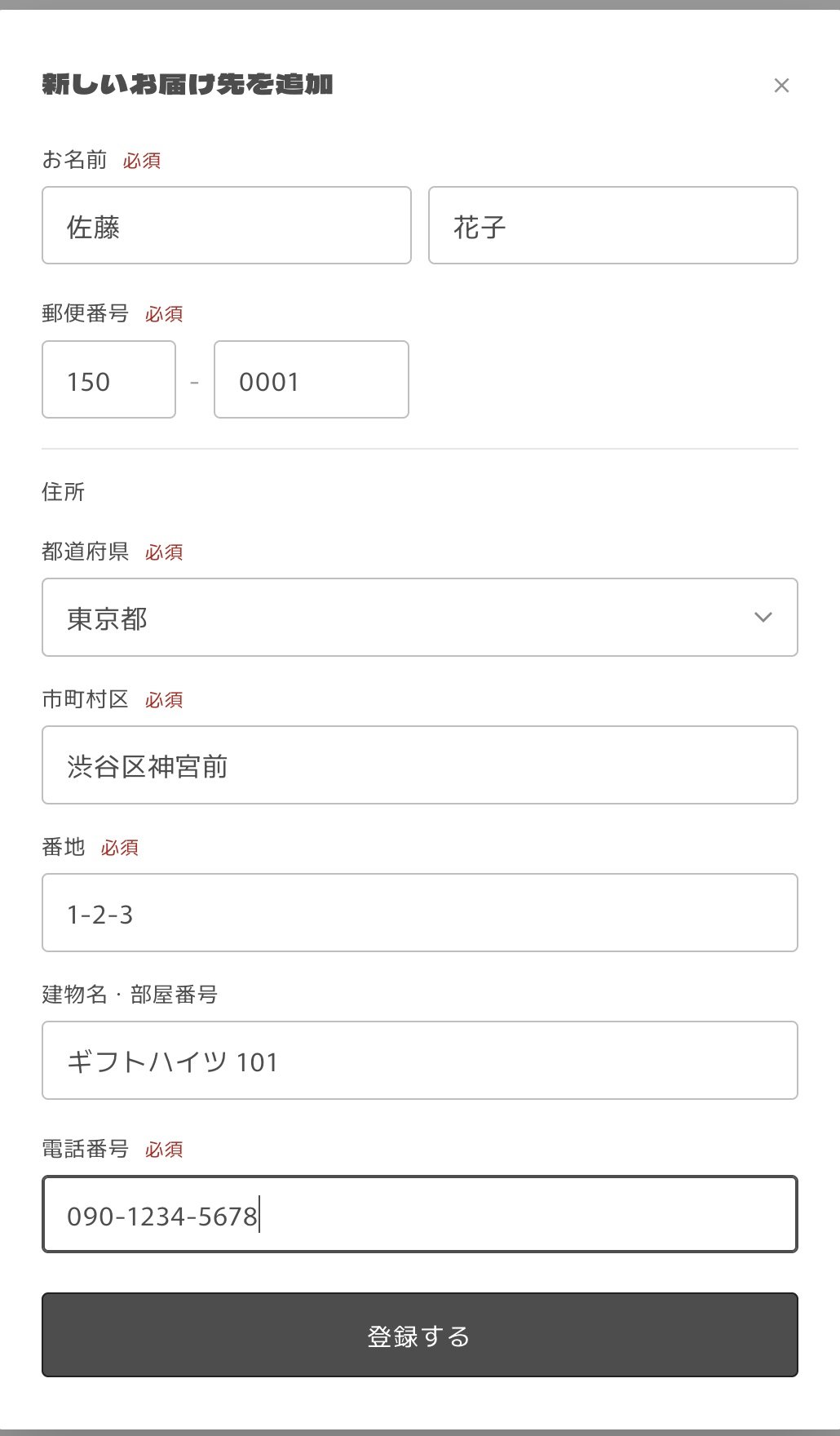
Addresses in Japan are supported. If an address in the address book is missing a phone number or postal code, or has the wrong number of digits, a message such as 電話番号を入れてください (Enter a phone number) appears below it. After fixing it with 編集 (Edit), the address can be selected.
The recipient’s address becomes the shipping address of the child order (see From order to child orders).