

How an order flows
1
The customer clicks Ship to multiple addresses in the cart
The allocation screen opens when the customer clicks the button on the cart page.
2
The customer sets addresses, items and details
The customer chooses addresses, assigns items and quantities to each, and sets the delivery date and time, noshi, message card and gift bag. To see the screens, go to Getting started.
3
The customer pays once at checkout
Clicking the checkout button opens Shopify’s checkout. Shipping is the total of the rates calculated for each address, shown on one line as 配送料(お届け先N件) (Shipping, N addresses). The customer pays only once.
4
A child order is created for each address
After payment, that order becomes the parent order, and the app automatically creates a child order for each address.

Parent order
The order the customer paid for. Sales, payments and refunds are handled on the parent order.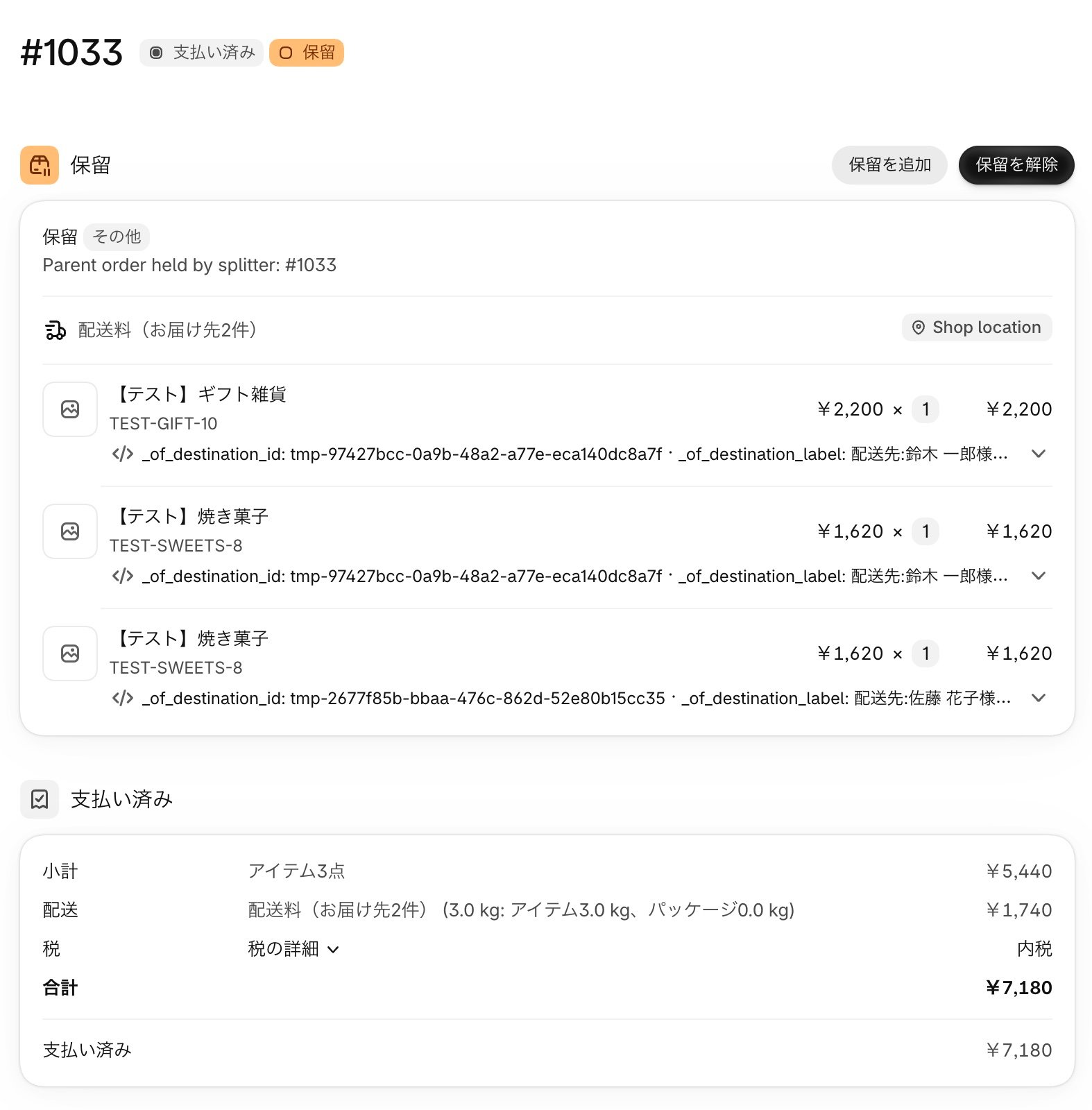
Child orders
One order per address, created for fulfillment.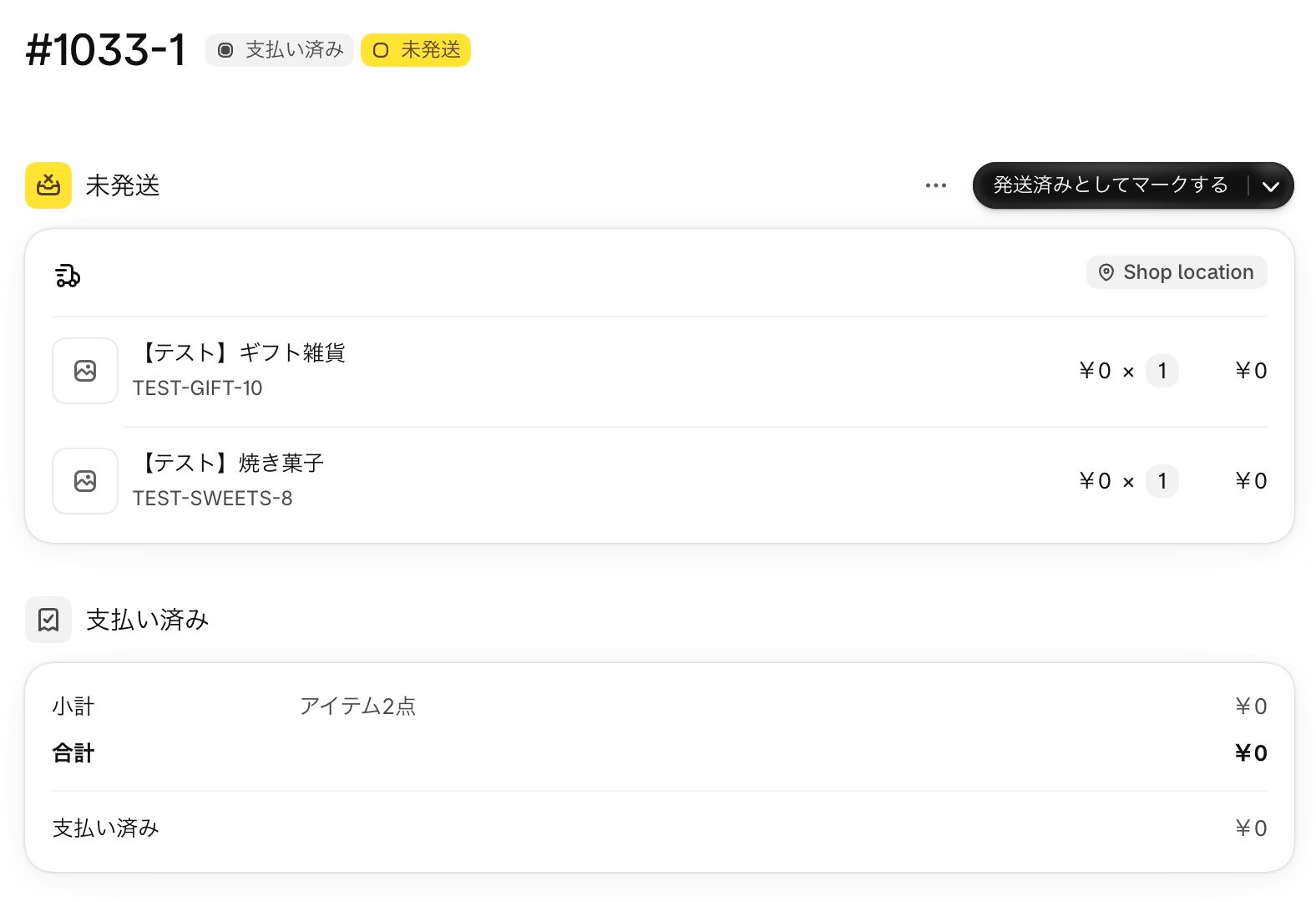
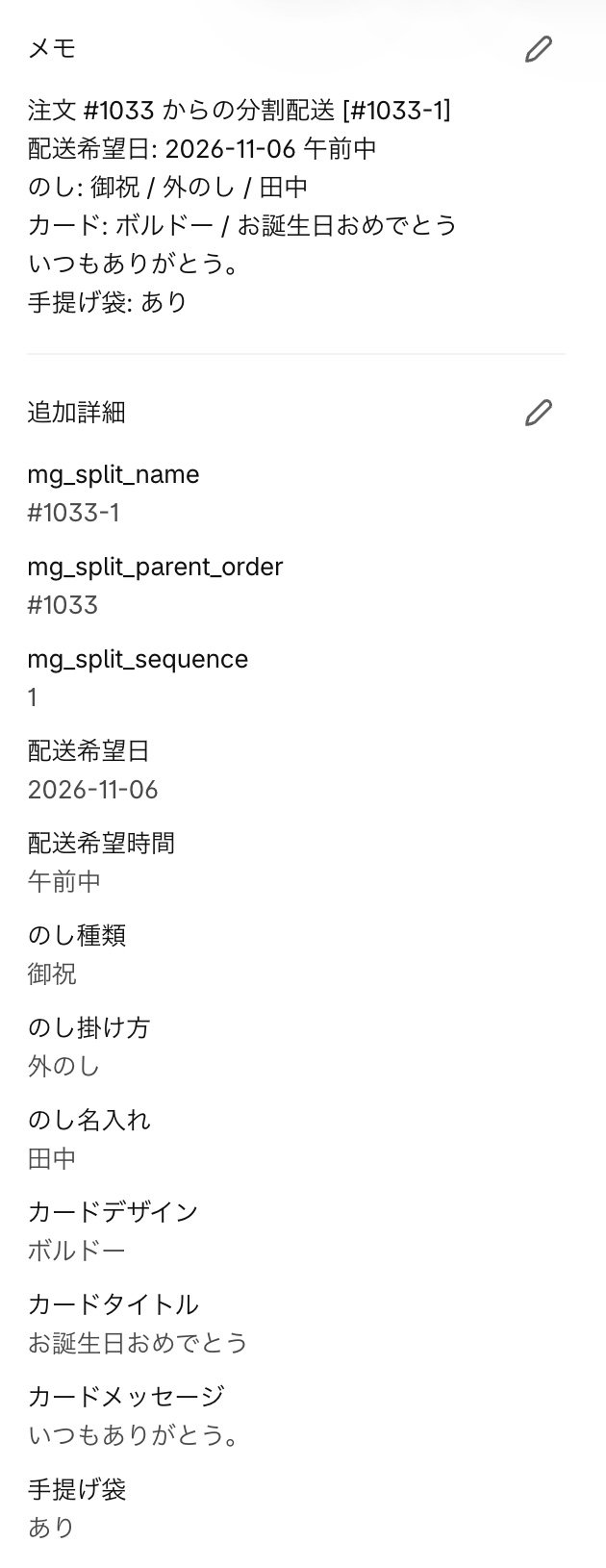
Options the customer didn’t set aren’t shown.
Read next
Fulfill child orders
How to fulfill the child order for each address, and how to check the parent order.
Cancel an order
When you cancel the parent order, its child orders are canceled too.