> ## Documentation Index
> Fetch the complete documentation index at: https://docs.bouquet-inc.com/llms.txt
> Use this file to discover all available pages before exploring further.
# Setting up the favorites list page
> How to set up the favorites list shown on the customer's account page.
## Steps
### 1. Go to Online Store > Edit theme, then Pages > Create template
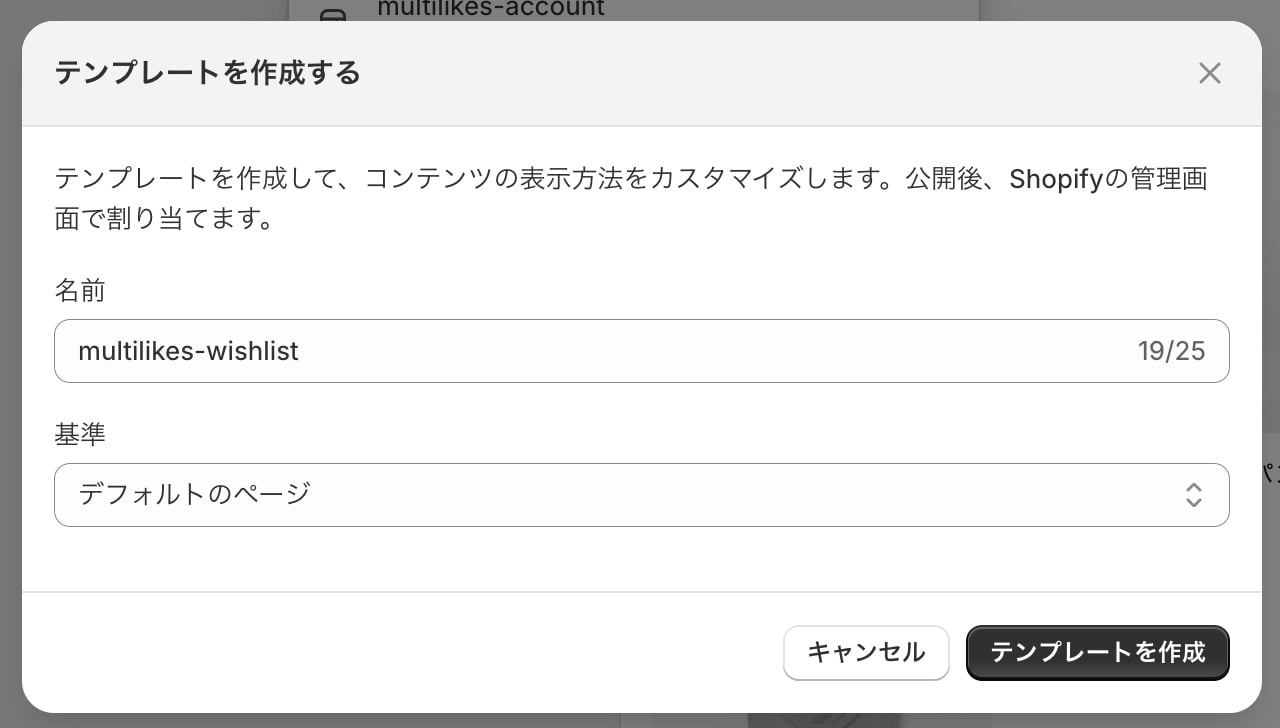
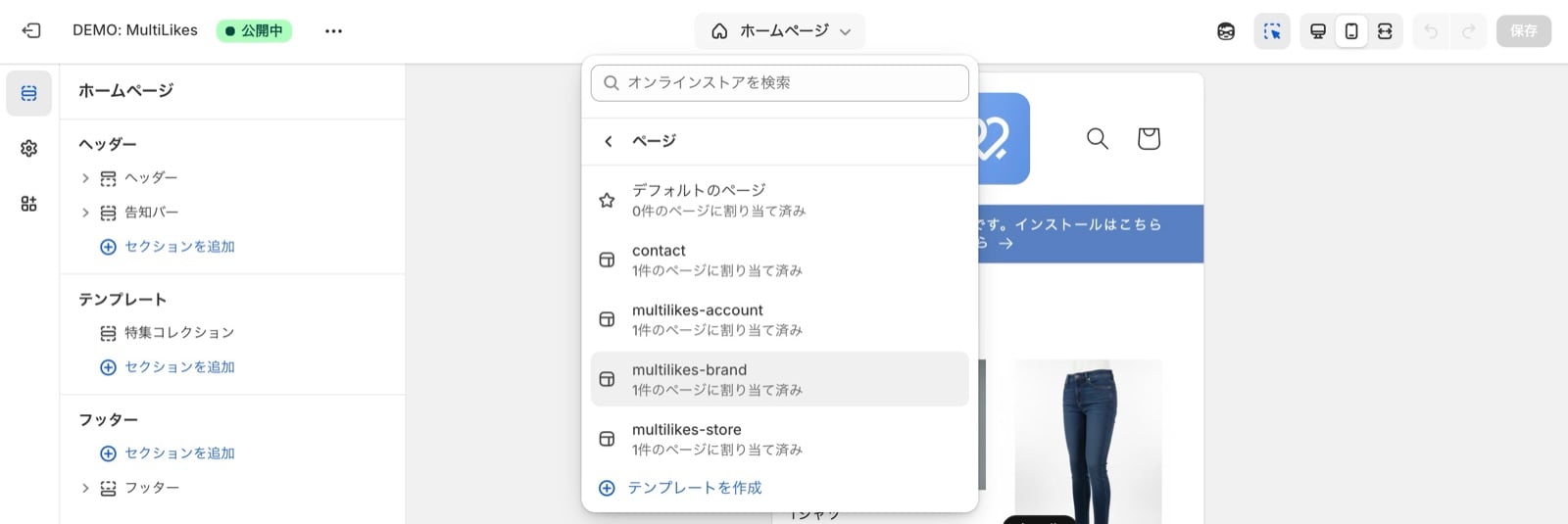 ### 2. Enter the template name and press Create template
Template name: `multilikes-wishlist`
### 2. Enter the template name and press Create template
Template name: `multilikes-wishlist`
 ### 3. Use "Add block" to add the favorites list block
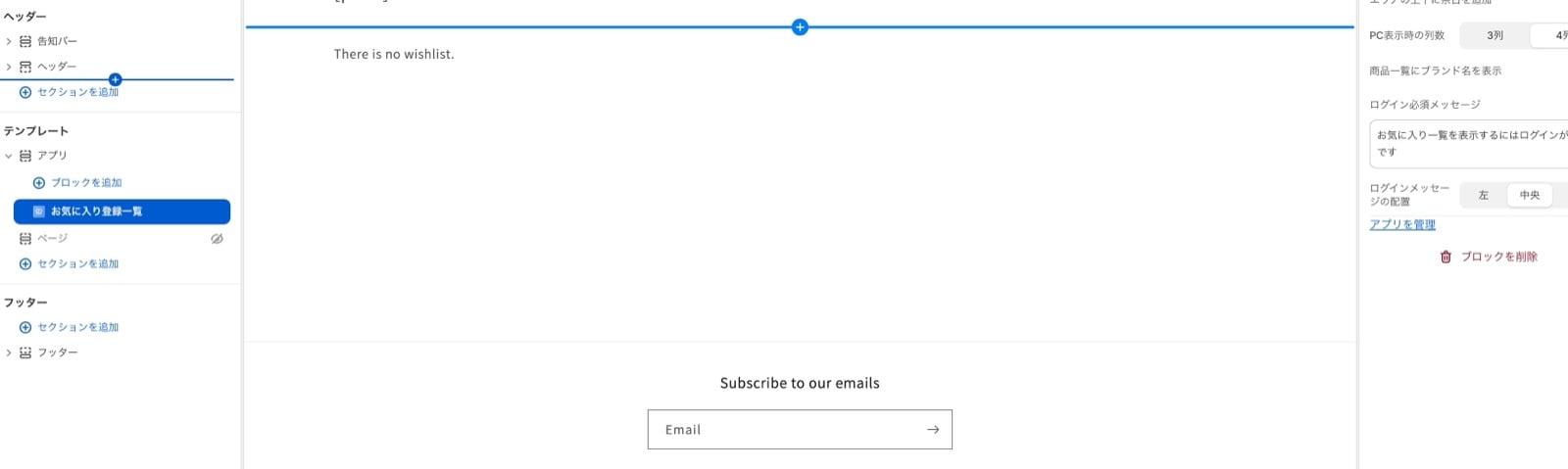 ### 4. Press Save and check your storefront
### 5. Confirm it appears correctly. Setup is complete.
## If your store uses the new customer accounts
As of January 2026, Shopify offers two versions of customer accounts:
* The legacy version
* Customer accounts
You can see which you use under Settings > Customer accounts (bottom left).
The setup is the same for the new customer accounts. Add the link you created above to the account page menu.
## Related topics
- [Setting up product favorites](/en/apps/multilikes/setup/product-favorites.md)
- [Setting up page favorites](/en/apps/multilikes/setup/page-favorites.md)
- [Setting up brand and store favorites](/en/apps/multilikes/setup/brand-store-favorites.md)
### 4. Press Save and check your storefront
### 5. Confirm it appears correctly. Setup is complete.
## If your store uses the new customer accounts
As of January 2026, Shopify offers two versions of customer accounts:
* The legacy version
* Customer accounts
You can see which you use under Settings > Customer accounts (bottom left).
The setup is the same for the new customer accounts. Add the link you created above to the account page menu.
## Related topics
- [Setting up product favorites](/en/apps/multilikes/setup/product-favorites.md)
- [Setting up page favorites](/en/apps/multilikes/setup/page-favorites.md)
- [Setting up brand and store favorites](/en/apps/multilikes/setup/brand-store-favorites.md)