> ## Documentation Index
> Fetch the complete documentation index at: https://docs.bouquet-inc.com/llms.txt
> Use this file to discover all available pages before exploring further.
# Step 1: Choose which coupon codes appear on the account page
> Discount codes you create under Discounts are synced into the app's coupon list.
### 1. Configure each coupon (optional)
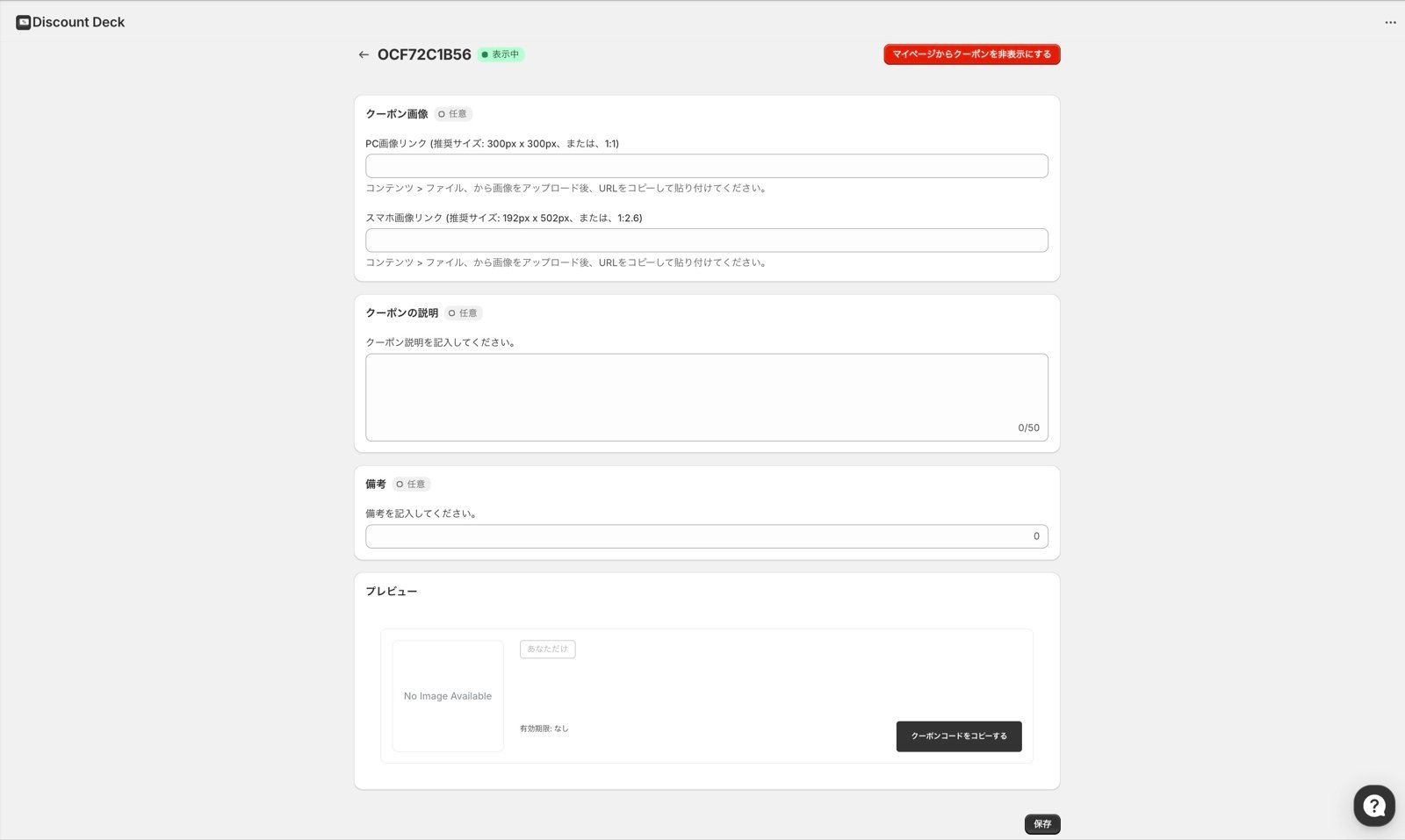 For each coupon you can set:
* Images
* Desktop size (1:1)
* Mobile size (1:2.6)
* A coupon description
* Notes
These settings are optional, but we recommend them because they let the list reflect your brand.
### 2. Select the coupons to show, then sync
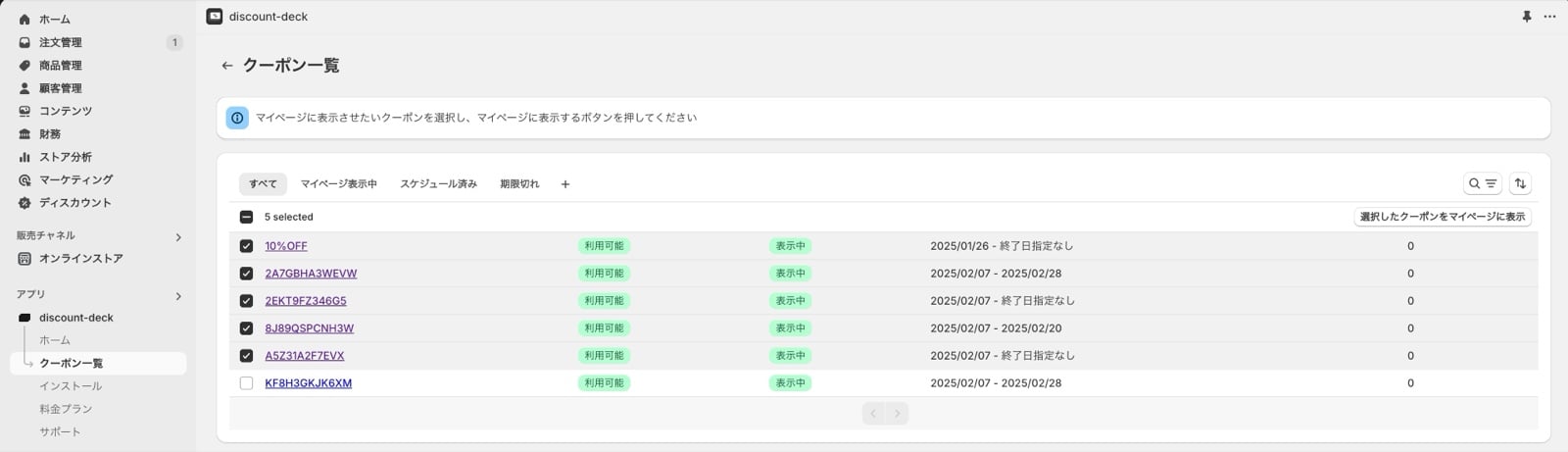
Once the display settings are decided, do the following to show them on the account page.
Automatic discounts are not eligible for display and do not appear in the list.
1. Select every coupon you want to show
2. Press the button to show the selected coupons on the account page
3. Press the confirm button in the dialog
For each coupon you can set:
* Images
* Desktop size (1:1)
* Mobile size (1:2.6)
* A coupon description
* Notes
These settings are optional, but we recommend them because they let the list reflect your brand.
### 2. Select the coupons to show, then sync
Once the display settings are decided, do the following to show them on the account page.
Automatic discounts are not eligible for display and do not appear in the list.
1. Select every coupon you want to show
2. Press the button to show the selected coupons on the account page
3. Press the confirm button in the dialog
 ### Reference: about coupon syncing
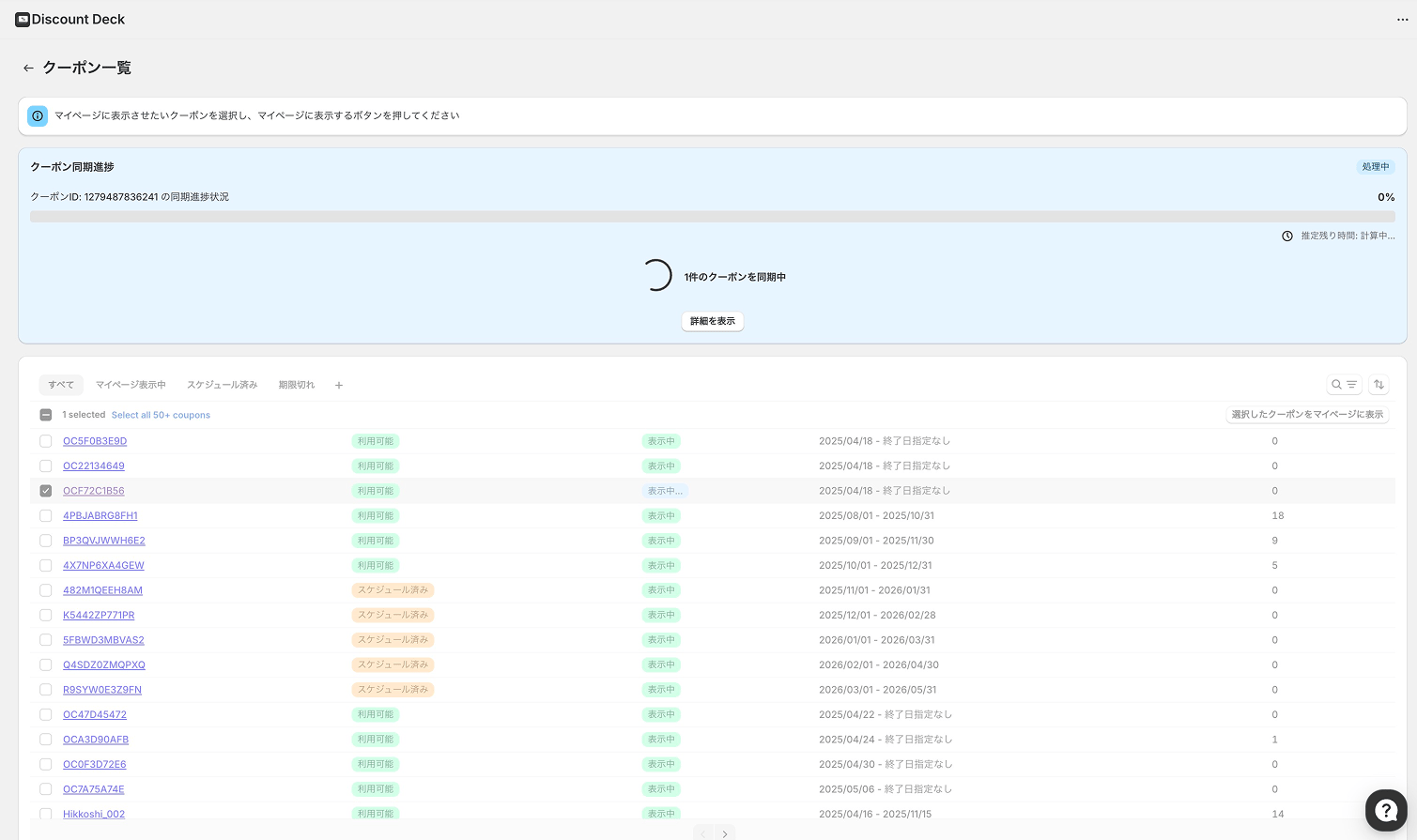
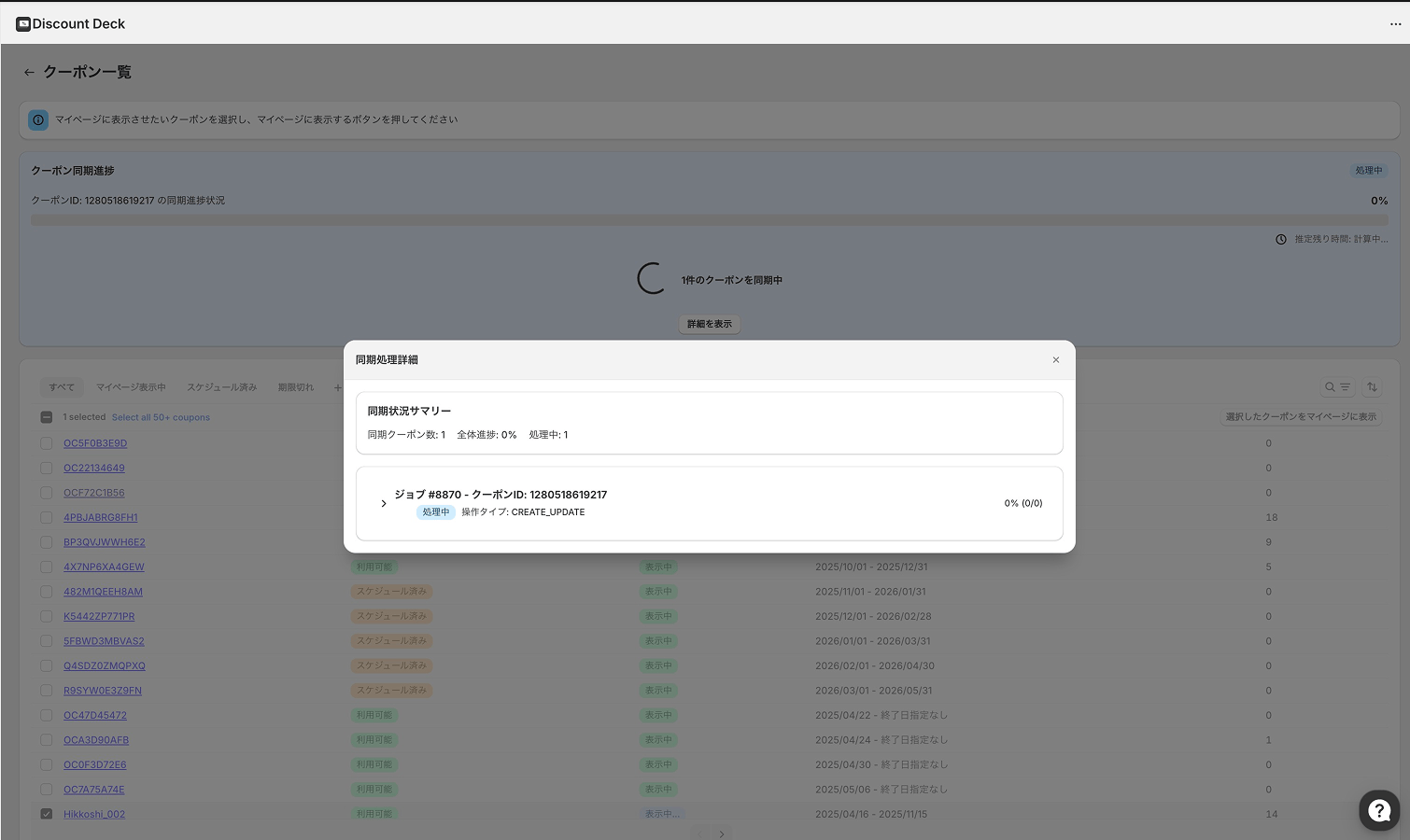
Sync progress is shown on the list screen, so you can check it as it runs.
If a sync fails, you can retry it from the coupon list screen.
### Reference: about coupon syncing
Sync progress is shown on the list screen, so you can check it as it runs.
If a sync fails, you can retry it from the coupon list screen.
 Reference data:
## Related topics
- [Changelog](/en/apps/discount-deck/changelog.md)
- [Getting started](/en/apps/discount-deck/overview.md)
- [Coupon issued notification](/en/apps/discount-deck/flows/coupon-issued-notification.md)
Reference data:
## Related topics
- [Changelog](/en/apps/discount-deck/changelog.md)
- [Getting started](/en/apps/discount-deck/overview.md)
- [Coupon issued notification](/en/apps/discount-deck/flows/coupon-issued-notification.md)