> ## Documentation Index
> Fetch the complete documentation index at: https://docs.bouquet-inc.com/llms.txt
> Use this file to discover all available pages before exploring further.
# If you use the new customer accounts
> Changing metafield permissions and adding the app block so the coupon list works with the new customer accounts.
## What the new customer accounts are
This is Shopify's account page introduced in 2023. Instead of signing in with an email address and password, customers sign in through email verification, so no password is needed.
## Setup steps
### Step 1: Change metafield permissions
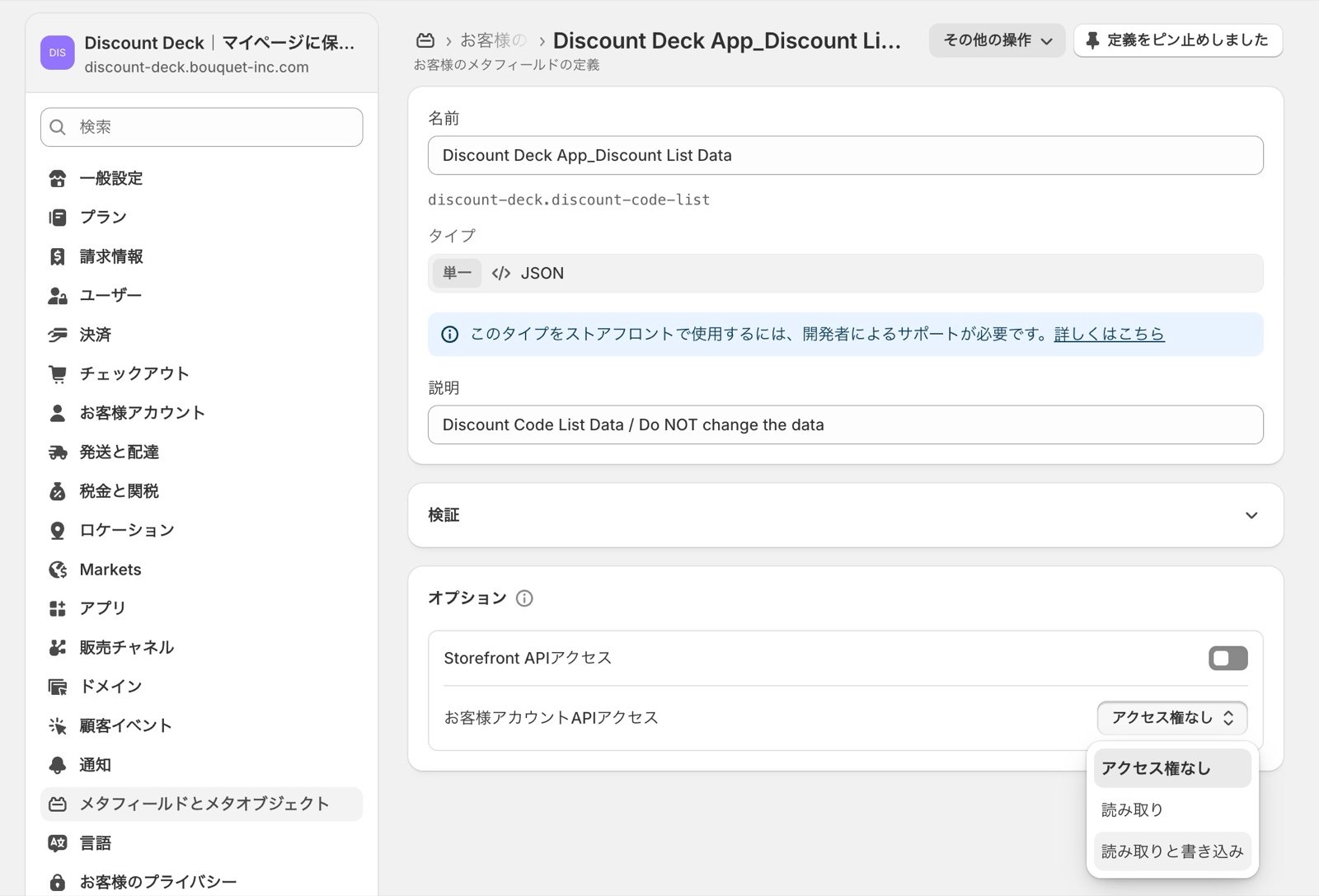
Go to Settings > Custom data > Customers (bottom left) and change API access for the following metafields to "**Read and write**".
 ### Step 2: Configure the customization screen
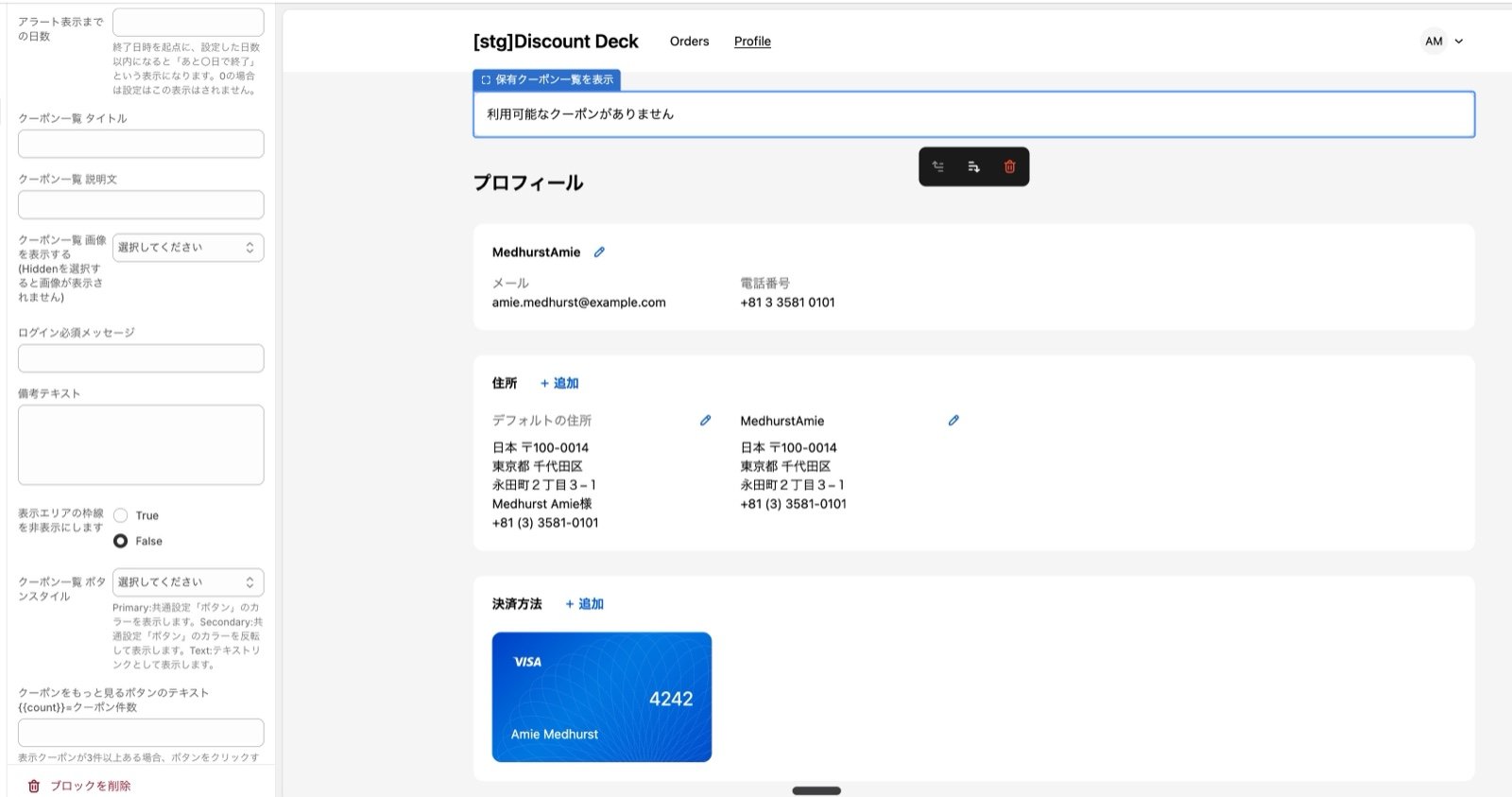
Go to Settings > Checkout > Customize (bottom left), open customer accounts, and add the app block.
Once it is added, you can adjust text and other settings from the left-hand menu.
### Step 2: Configure the customization screen
Go to Settings > Checkout > Customize (bottom left), open customer accounts, and add the app block.
Once it is added, you can adjust text and other settings from the left-hand menu.
 ## Related topics
- [Notice: Shopify's change to customer accounts, and how to migrate](/en/apps/discount-deck/notice-customer-account-migration.md)
- [Setting up the favorites list page](/en/apps/multilikes/setup/favorites-list-page.md)
- [Show a dedicated banner to product testers](/en/apps/user-tag-plus/use-cases/monitor-banner.md)
## Related topics
- [Notice: Shopify's change to customer accounts, and how to migrate](/en/apps/discount-deck/notice-customer-account-migration.md)
- [Setting up the favorites list page](/en/apps/multilikes/setup/favorites-list-page.md)
- [Show a dedicated banner to product testers](/en/apps/user-tag-plus/use-cases/monitor-banner.md)