> ## Documentation Index
> Fetch the complete documentation index at: https://docs.bouquet-inc.com/llms.txt
> Use this file to discover all available pages before exploring further.
# [Shopify Plus only] Showing the coupon list at checkout
> How stores on Shopify Plus can show the coupon list on the checkout page.
This page is for merchants on Shopify Plus.
## Steps
### 1. Go to Settings > Checkout (bottom left) and press Customize
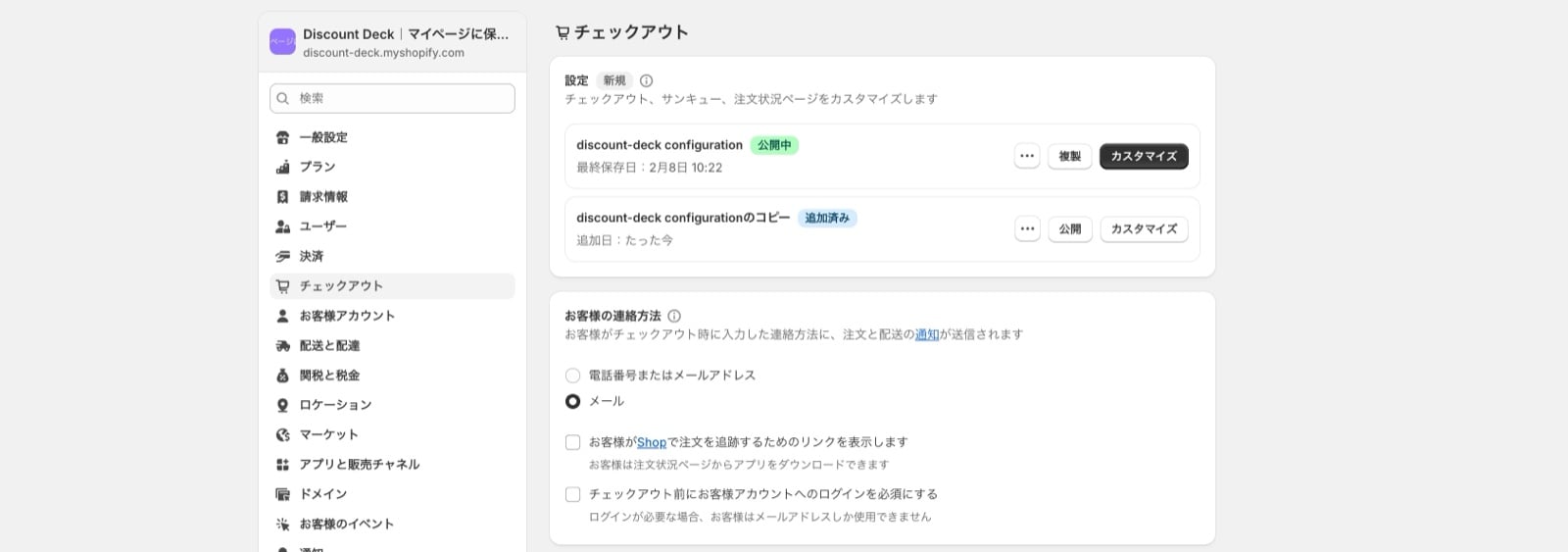 Editing through the Customize button on a published checkout applies changes to production immediately. Please be careful.
### 2. Use "Add block" to add the coupon list
Editing through the Customize button on a published checkout applies changes to production immediately. Please be careful.
### 2. Use "Add block" to add the coupon list
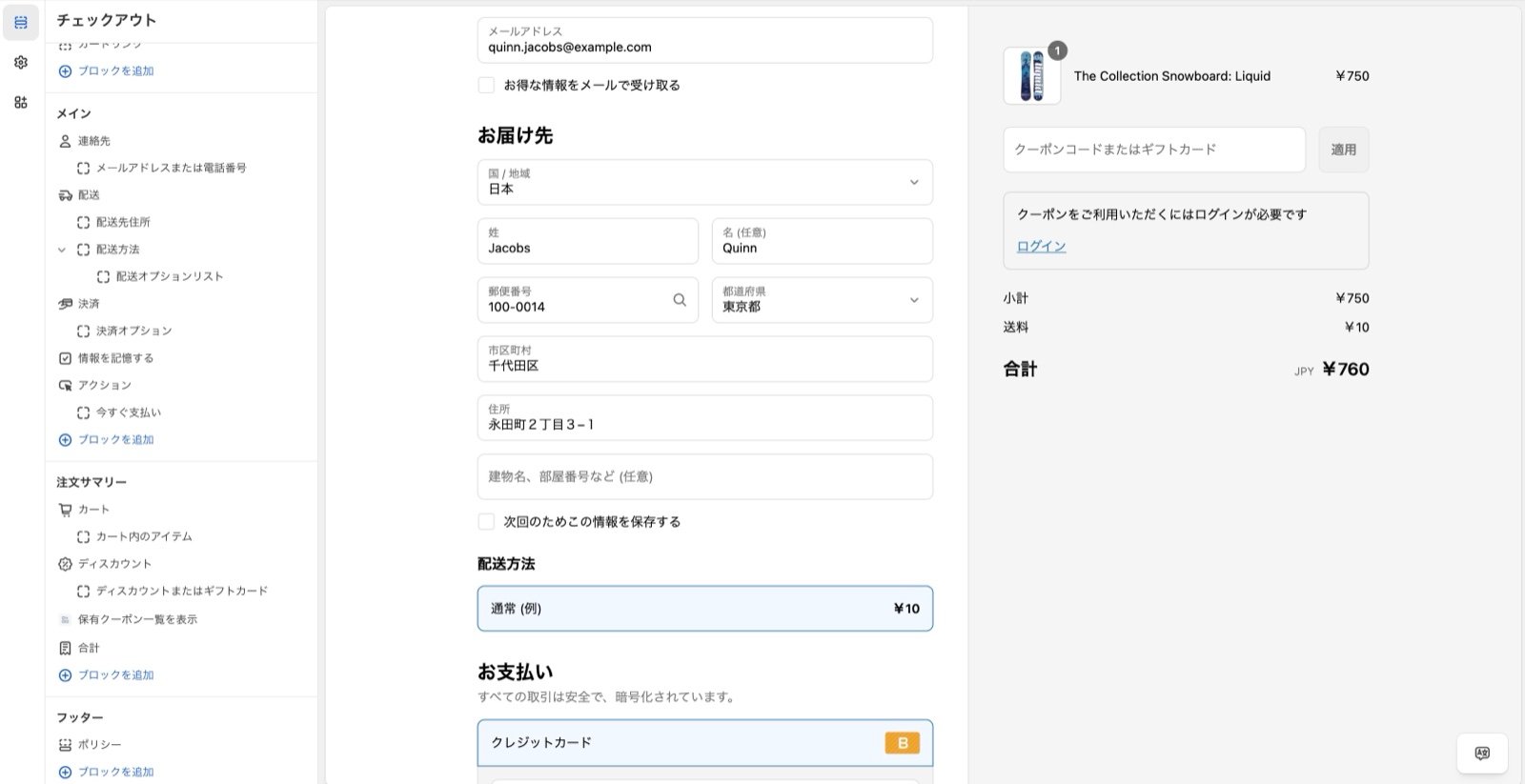 ### 3. Optional: change the text
**Days to display alert**
Set a number here. The app compares each coupon's expiry date with the current date, and when the coupon expires sooner than the number of days you set, the expiry is shown as a countdown. Leave it empty and no countdown is shown.
**Coupon list title**
Changes the title text.
**Coupon list description**
Changes the text below the title.
**Login required message**
Changes the text shown before the customer logs in.
**Footer note**
Changes the note shown below the coupon area.
### 4. Press Save at the top right
### 5. Setup is complete
## Reference: sample screens
### 3. Optional: change the text
**Days to display alert**
Set a number here. The app compares each coupon's expiry date with the current date, and when the coupon expires sooner than the number of days you set, the expiry is shown as a countdown. Leave it empty and no countdown is shown.
**Coupon list title**
Changes the title text.
**Coupon list description**
Changes the text below the title.
**Login required message**
Changes the text shown before the customer logs in.
**Footer note**
Changes the note shown below the coupon area.
### 4. Press Save at the top right
### 5. Setup is complete
## Reference: sample screens
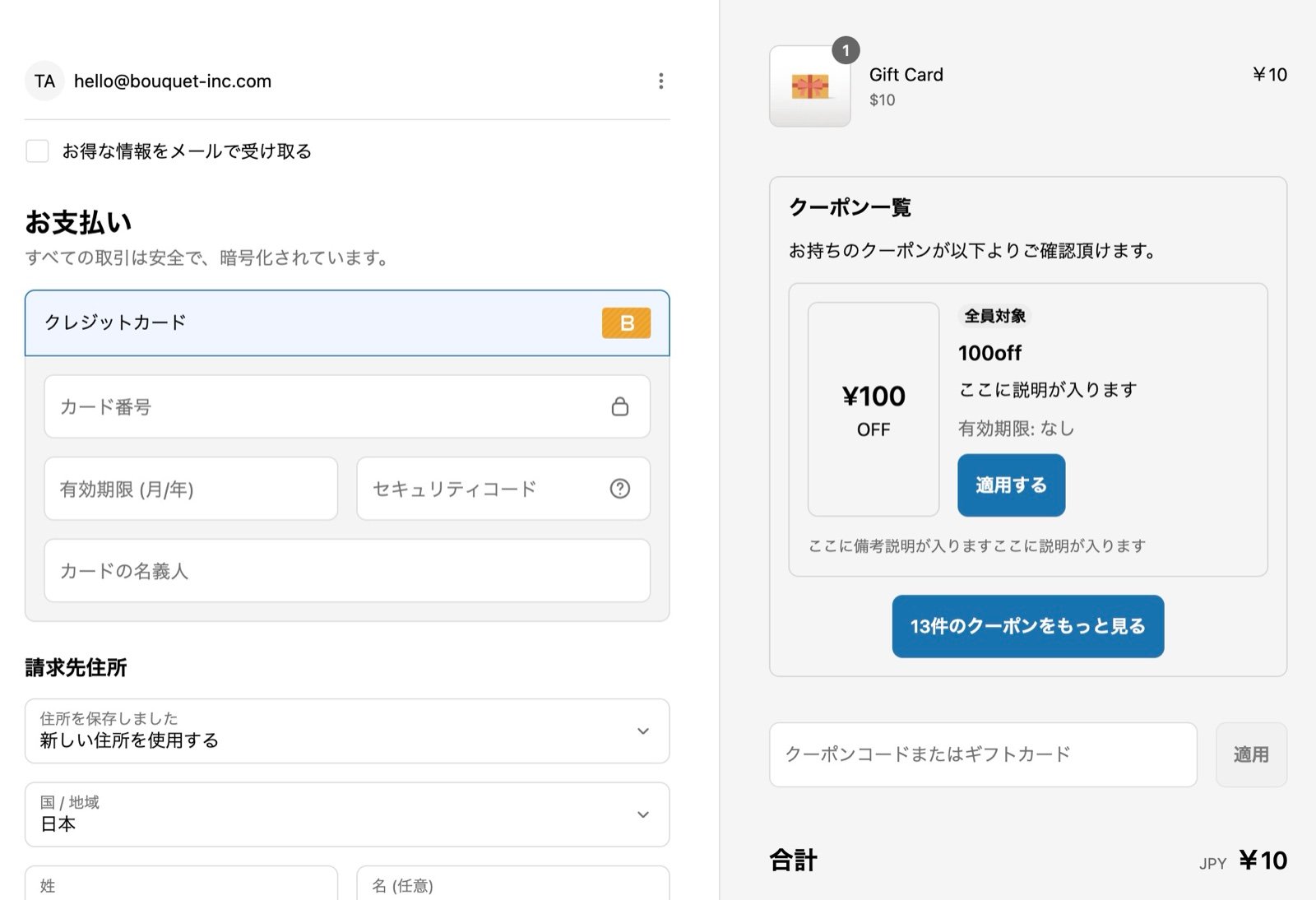
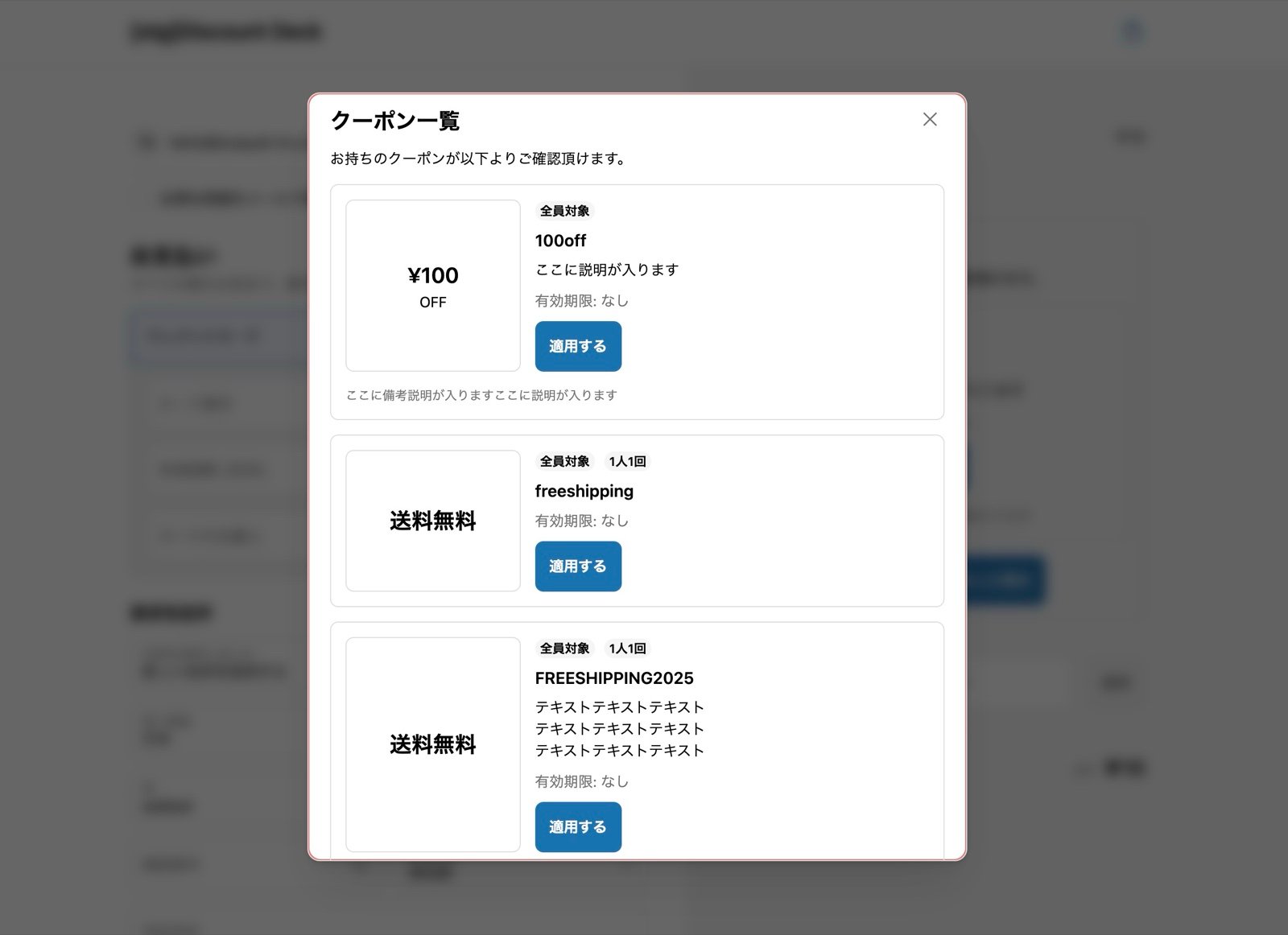 Pressing the button to see more coupons opens this popup.
## Related topics
- [Appify and Discount Deck](/en/apps/discount-deck/integrations/appify.md)
- [Coupons are not showing in the list on the account page](/en/apps/discount-deck/faq/coupons-not-displayed.md)
- [Getting started](/en/apps/discount-deck/overview.md)
Pressing the button to see more coupons opens this popup.
## Related topics
- [Appify and Discount Deck](/en/apps/discount-deck/integrations/appify.md)
- [Coupons are not showing in the list on the account page](/en/apps/discount-deck/faq/coupons-not-displayed.md)
- [Getting started](/en/apps/discount-deck/overview.md)